|
|
|
Categories
|
|
Information
|
|
Featured Product
|
|
|
 |
|
|
There are currently no product reviews.
 ;
It is perfect, exactly what we needed. It's like the paper version but less clutter.
 ;
Received my manual within 24 hours. Very clear scan of the manual I needed. Thanks!
;
Very clear scan, I recommend it. Definitely a must have for any 3362 owner.
Alpine could have written a slightly more complete manual, though. It's already pretty huge, but the unit has so many functions, I feel some more explanation would have been better.
Yamaha's manual of their comparable YDSP-1 is a little better in my opinion.
;
Immediate response with excellent service - highly reccommended
;
Correct manual received and of good quality but the contents of the file for the Service Manual for the same monitor is for a 20" TV not the RGB Monitor.
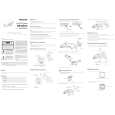
HOOKING UP YOUR TV (ANTENNA/CABLE CONNECTIONS) (CONT�D)
VCR
TO
TV
Connect your Antenna or Cable signal to the IN FROM ANT(enna) jack on the VCR. Connect a coaxial cable to the OUT TO TV jack on the VCR and to the ANT(enna) IN jack on the TV. The coaxial cable may be supplied with the VCR. Refer to the VCR owner's manual for other possible connections and for operating details.
BASIC CONNECTION
T
he basic Antenna/Cable to
VCR to TV connection is
shown here. If you have a Cable Box, refer to the VCR owner�s manual for details.
300 to 75� Adaptor Outdoor VHF/UHF Antenna
Coaxial cable
IN FROM ANT. OUT TO TV
ANT.IN
Cable TV signal
Back of TV
VCR
CABLE TV
CABLE/CABLE BOX
If you do not have a Cable Box, then you're ready to connect your Cable TV signal to the TV. If you have a Cable Box: Connect the Cable TV signal to the IN jack on the Cable Box. Connect the Cable TV signal to the ANT(enna) IN jack on the TV. If you have a Cable Box: Use a coaxial cable to connect the OUT jack of the Cable Box to the ANT(enna) IN jack on the TV. NOTE: The coaxial cable might be supplied by the Cable TV company.
SMART HELP
To select only the channels on your Cable system, see First Time Setup (page 4). If you use a Cable Box, set the TV to the same channel as the CH 3/4 switch on the back of the Cable Box and select channels at the Cable Box.
Y
our Cable TV signal may be a single (75 ) cable or a Cable Box installation. In either case, the connection to the TV is very easy.
Note to the Cable TV System Installer: This reminder is provided to call the Cable TV system installer�s attention to Article 820-40 of the National Electrical Code, which provides guidelines for proper grounding - in particular, specifying that the cable ground shall be connected to the grounding system of the building, as close to the point of cable entry as possible.
Cable TV Signal (75�)
Cable TV Company
OR
ANT.IN
IN
OUT
Back of TV Coaxial cable Cable Box
-3-
|
|
|
> |
|