|
|
|
Categories
|
|
Information
|
|
Featured Product
|
|
|
 |
|
|
There are currently no product reviews.
 ;
Il service manual molto accurato. Rapidi nella risposta
;
Quick site processing. A complete and very useful manual with all details. Thank you!
;
Quick service response. A useful and very rare service manual with all details. I recomend this service.
;
I ordered this manual sometime in the afternoon and I received it on my e-mail the same evening.
This is a fantastically good and properly scanned copy of the original manual. All pages are of the same scale and they overlap each other. It means that you can print the manual and easily make it as a convenient paper manual.
The content of the manual is fantastic. Alignment descriptions, PCB layouts and elementary diagrams are explicit and precise. I immediately found what I was looking for. Thanks to this manual and Owner-Manuals.com my amplifier is alive again. Many thanx indded!
;
The manual was well-scanned and easy to read. As an added bonus, the Operator's Manual was bundled with the Service Manual!
I'd definitely use owner-manuals.com again.
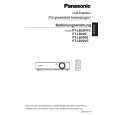
PT-LB20NTU / PT-LB20NTE / PT-LB20NTEA / PT-LB20U / PT-LB20E / PT-LB20EA / PT-LB20SU / PT-LB20SE / PT-LB20SEA / PT-LB20VU / PT-LB20VE / PT-LB20VEA
7.4.
Removal of WL-P.C.Board (PTLB20NTU/E/EA only)
1. Remove the upper case according to the section 7.2. "Removal of Upper Case". 2. Unscrew the 4 screws and remove the shield cover and wireless LAN module. Notes: · Because the wireless LAN module is connected with the WL-P.C.Board, work carefully when removing it. · When installing/detaching the antenna connector, insert or pull out it straight along the center of the connector pin. It causes damage and/or poor contacting of the connector when forcibly installing/detaching it. · Connect the connector from the antenna with the original position (connector on the wireless LAN module) after reassembling. 3. Unscrew the 1 screw and remove the WL-P.C.Board.
7.6.
Removal of S2-P.C.Board
1. Remove the S2-P.C.Board block according to the section 7.3. "Removal of A-P.C.Board". 2. Remove the holder while expanding the resin hooks outside. Note: · Work carefully not to damage the resin hook.
7.7.
Removal of K-P.C.Board
1. Remove the analysis block, LCD block and lens according to the steps 1 through 3 in the section 7.11. "Removal of Analysis Block and Lens". 2. For PT-LB20NTU/E/EA, unscrew the 4 screws and remove the shield cover and wireless LAN module.
7.5.
Removal of S1-P.C.Board
1. Remove the upper case according to the section 7.2. "Removal of Upper Case". 2. Remove the water-guide plate.
Notes: · Because the wireless LAN module is connected with the WL-P.C.Board, work carefully when removing it. · When installing/detaching the antenna connector, insert or pull out it straight along the center of the connector pin. It causes damage and/or poor contacting of the connector when forcibly installing/detaching it. · Connect the connector from the antenna with the original position (connector on the wireless LAN module) after reassembling. 3. For PT-LB20NTU/E/EA, unscrew the 2 screws and remove the WL-P.C.Board (with metal fittings for securing WL).
3. Unscrew the 2 screws and remove the S1-P.C.Board.
17
|
|
|
> |
|