|
|
|
Categories
|
|
Information
|
|
Featured Product
|
|
|
 |
|
|
There are currently no product reviews.
 ;
I was having a hard time finding the problem with this Mackie 1604 unit. I didn't have a schematic. Went looking on the web and found your site and the price was more then reasonable. Ordered it and within the hour had the manual and within 15 minutes had the unit fixed. Best $4.99 I ever spent. Thank you.
Doug
;
This is a service manual in every sense of the word ( French and German versions of the text are included, as well as English..)
There are explanations of the mechanical and electrical functions, plenty of mechanical drawings, and the needed schematics. The quality of the scanning is excellent - all the component values are clearly legible - and very usefully there are pcb component layouts, so you can find a component on the schematic, and then very quicky pinpoint its physical location on the relevant pcb.
I cannot see how I can give this manual any less than the maximum 5 stars! Great value for money, which will pay for itself immediately. Excellent all round!
;
the manual is great and especially hard to find... thanks for the great service and having a hard to find manuel_
;
Please tell us what you think and share your opinions with others. Be sure to focus your comments on the product. You will receive $2.50 of store credit for Your review.
;
hat alles sehr gut geklappt. Das Servicemaual ist gut zu verwenden. Die Pläne und Schrift
ist klar und leserlich. Außerdem preiswert. Grüße an alle Hifi-Bastler
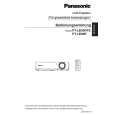
PT-LB30NTU / PT-LB30NTE / PT-LB30NTEA / PT-LB30U / PT-LB30E / PT-LB30EA
5. Unscrew the 4 screws and remove the power block (PModule and B/Q-Module).
6. Unscrew the 3 screws and remove the power box.
7.8.
Removal of G-P.C.Board
1. Remove the A-P.C.Board block according to the steps 1 through 6 in the section 7.3. "Removal of A-P.C.Board". 2. Disconnect the flexible cable between the G-P.C.Board and A-P.C.Board. 3. Unscrew the 2 screws and remove the G-P.C.Board. 7. While pressing to shut each hook of the 4 resinous stands, remove the B/Q-Module.
7.9.
Removal of B/Q-Module
1. Remove the lamp unit according to the section 7.11. "Removal of Lamp Unit". 2. Remove the A-P.C.Board block according to the steps 1 through 6 in the section 7.3. "Removal of A-P.C.Board". 3. Unscrew the 2 screws and remove the lamp unit terminal. 4. Unscrew the 2 screws and remove the exhaust fan .
7.10. Removal of P-Module
1. Remove the power block and power box according to the steps 1 through 6 in the section 7.9. "Removal of B/Q Module". 2. Unscrew the 1 screw. 3. While pressing to shut each hook of the 3 resinous stands, remove the P-Module.
18
|
|
|
> |
|