Shopping cart is empty
 
English Polski Spanish 
Search For a Manual
 

(e.g. AA-V20EG JVC, ZX-7 Sony )
PayPal 1000+ rating Secure, Encrypted Checkout.
 
Categories
Information
Featured Product
Home >> PANASONIC >> PVD300 Service Manual
 
 0 item(s) in your cart 

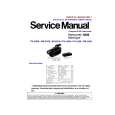
PANASONIC PVD300
Service Manual


Tweet about this product and get $1.00 of store credit for instant use!
  • Contains Circuit Diagrams
  • Download
  • PDF Format
  • Complete manual
  • Language: English
Price: $4.99

Description of PANASONIC PVD300 Service Manual

Complete service manual in digital format (PDF File). Service manuals usually contains circuit diagrams, printed circuit boards, repair tips, wiring diagrams, block diagrams and parts list. Service Manual ( sometimes called Repair Manual ) is used mainly by technicians.

If You just want to know how to use Your tv, video, mp3 player etc. You should look for Owner's Manual. After placing order we'll send You download instructions on Your email address.

The manual is available in languages:

Not yet ready
You must purchase it first

Customer Reviews
There are currently no product reviews.
Other Reviews
 SA5600X TECHNICS Service Manual by Meyer M Rochwerger;
I am very grateful for this manual. Without it could not repair my receiver.
 70ES03S SHARP Service Manual by Matteo Vannini;
excellent work as always you do cheap, fast net and clean. you do an incredible service......thanks!
 70DS03S SHARP Service Manual by Matteo Vannini;
Great Job even clear than the one before!!!! god organization- I'm always very satisfied
 CF28A64DF LG / GOLDSTAR Service Manual by Matteo Vannini;
I'm very happy that you all are performing an incredible good job. Furthermore what you did is very useful for all people as me that have electronics as an hobby.Thank you!!!!!
 SX-EX30L TECHNICS Service Manual by Peter Redpath;
Manual found fast and good quality, very helpfull service

Text excerpt from page 18 (click to view)
PV-D300 / VM-D100 / PV-L550 / PV-L600 / PV-L650 / VM-L450

5.1.7.
CAUTION:

HOW TO REMOVE A JAMMED TAPE

If loading does not start after DC Power Supply is applied, DO NOT continue applying DC Power Supply.

5.1.7.1.

Remove a jammed tape as follows:

1. Remove a Screw and remove the EVR Cover.

Fig. 4-2

5. Open the Cassette Cover fully.
Fig. 4-1

6. Remove the tape slack by rotating the Takeup Reel Gear of the cassette tape as shown in Fig. 4-3.

2. Place the unit with the Cassette Cover facing upward. 3. Connect the TP Board Kit through the TP Board slot. 4. Apply +3VDC Power Supply to TP20 (+) and TP21 (-) on the TP Board to unload the mechanism. It normally takes approx. 6 seconds to unload the Mechanism to EJECT position. Then, remove the Power Supply and remove the TP Board Kit.

Fig. 4-3

7. Take out the cassette tape. 8. Connect the Power or Battery to set the Mechanism to STOP Position.

20

You might also want to buy

$4.99

PVD300 PANASONIC
Owner's Manual

Complete owner's manual in digital format. The manual will be available for download as PDF file aft…
>
Parse Time: 0.546 - Number of Queries: 112 - Query Time: 0.276