|
|
|
Categories
|
|
Information
|
|
Featured Product
|
|
|
 |
|
|
There are currently no product reviews.
 ;
I am very happy with the owner's manual. I bought a used Casio and was so relieved that I was able to get a hold of a owner's manual. It was very easy to download the manual and I had no problems with printing it. Thank you! Nancy Whalen
;
The purchased manual is an high-quality scan of the original JVC paper-based Owner´s Manual. I am very satisfied!
;
Very satisfied with received document, all is right, Thank You very much, it was a Pleasure to work with You.
 ;
great site, the most easy and fastest way to find the manual you need, no 5 star because the manual was only available in german, but I speak german as well so no problem for me.
;
thanks for this download i got a pioneer bdp-lx70a blu-ray player and it had no manual i search everywhere on the internet and came across owner-manuals.com and i found that it was so easy to find and downloaded from this site if i ever need a manual again this would be the first place that i would come too thanks guys
Special Features
Auto Focus
The Palmcorder automatically adjusts the focus over the entire zoom range.
Manual Focus
Use Manual Focus (MF) when recording ...
� a subject through glass. � a scene where the subject is far from the Palmcorder and there are objects in the foreground. � a subject with distinct horizontal stripes. � a subject not centered in the Viewfinder. � subjects with shiny surfaces. � an obliquely angled subject. � a bright, flat subject such as a white wall. � in low light situations. � a scene with fast motions, like a golf swing. Re-focusing may be required � when your Palmcorder is aimed at a new scene.
1
2Press 3 4 5
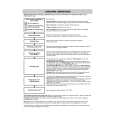
Set POWER to CAMERA. � The POWER lamp lights red. � Be sure POWER is fully turned to CAMERA position. M.FOCUS DIAL so that �MF�
(Manual Focus) appears in the EVF or the LCD monitor. Press and hold POWER ZOOM �T� side (Telephoto) until the lens is at maximum zoom in.
2, 4M.FOCUS 3, 5POWER
DIAL
ZOOM Switch
Press POWER ZOOM to �W� or �T� as desired. � The subject will remain in focus over the entire zooming range. � It may be necessary to back away from the subject to focus the image properly. Note
Turn M.FOCUS DIAL until the picture is in focus. � It may be necessary to back away from the subject to focus the image properly.
1POWER Switch
Macro Focus (for close-ups) Backlight
� DISPLAY must be set to on for MF, AE, W.BALANCE, or BACK LIGHT to be displayed on the LCD or EVF.
Press the �W� side of POWER ZOOM to the maximum wide angle position. Auto Focus will function with the subject as close as 1 inch (25 mm) in front of the lens.
Special Special Features Features
Use when recording a subject that is darker than the surrounding scene, in a shadowed area, or when the light source is in back of your subject. BACK LIGHT Button Press BACK LIGHT in Record mode to activate the Backlight feature. The Indicator � � will appear in the EVF or LCD monitor. Press BACK LIGHT again to cancel the Backlight feature. Note � The Indicator � � will not appear in the EVF or LCD monitor when OFF is selected in the DISPLAY menu.
EVF or LCD monitor indication.
47
|
|
|
> |
|