Shopping cart is empty
 
English Polski Spanish 
Search For a Manual
 

(e.g. AA-V20EG JVC, ZX-7 Sony )
PayPal 1000+ rating Secure, Encrypted Checkout.
 
Categories
Information
Featured Product
Home >> PANASONIC >> PVL550 Service Manual
 
 0 item(s) in your cart 

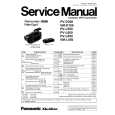
PANASONIC PVL550
Service Manual


Tweet about this product and get $1.00 of store credit for instant use!
  • Contains Circuit Diagrams
  • Download
  • PDF Format
  • Complete manual
  • Language: English
Price: $4.99

Description of PANASONIC PVL550 Service Manual

Complete service manual in digital format (PDF File). Service manuals usually contains circuit diagrams, printed circuit boards, repair tips, wiring diagrams, block diagrams and parts list. Service Manual ( sometimes called Repair Manual ) is used mainly by technicians.

If You just want to know how to use Your tv, video, mp3 player etc. You should look for Owner's Manual. After placing order we'll send You download instructions on Your email address.

The manual is available in languages:

Not yet ready
You must purchase it first

Customer Reviews
There are currently no product reviews.
Other Reviews
 D-900 HITACHI Service Manual by GOZDE ALP;
I really like this manual and it's reliable.I found and bought easly.thank you.
 RF-9000 PANASONIC Service Manual by Olga Olga;
Thank you very much. the Instruction corresponds to my expectations. Sent it in time. I don't regret that paid money.
 RS-1500US VOLUME 2 TECHNICS Service Manual by Jozsef Hader;
Good quality. Quick service. I recommend to everyone.
 ES5030R SHERWOOD Service Manual by Dinka Hristova;
Very good quality scan of the document. I am very pleased with what I got.
 SQ10 PHILIPS Service Manual by Hammad Khan;
PDF Contains Technical Data, Mechanical data, Detailed Circuit diagram with components value, PCB layout. Actual PCBs Print. Component List, Spare parts code list and Input output detail. It cover LBB1211, LBB1212, LBB1213, LBB1216, LBB1217. It is the actual Service Manual for SQ10

Text excerpt from page 18 (click to view)
PV-D300 / VM-D100 / PV-L550 / PV-L600 / PV-L650 / VM-L450

5.1.7.
CAUTION:

HOW TO REMOVE A JAMMED TAPE

If loading does not start after DC Power Supply is applied, DO NOT continue applying DC Power Supply.

5.1.7.1.

Remove a jammed tape as follows:

1. Remove a Screw and remove the EVR Cover.

Fig. 4-2

5. Open the Cassette Cover fully.
Fig. 4-1

6. Remove the tape slack by rotating the Takeup Reel Gear of the cassette tape as shown in Fig. 4-3.

2. Place the unit with the Cassette Cover facing upward. 3. Connect the TP Board Kit through the TP Board slot. 4. Apply +3VDC Power Supply to TP20 (+) and TP21 (-) on the TP Board to unload the mechanism. It normally takes approx. 6 seconds to unload the Mechanism to EJECT position. Then, remove the Power Supply and remove the TP Board Kit.

Fig. 4-3

7. Take out the cassette tape. 8. Connect the Power or Battery to set the Mechanism to STOP Position.

20

You might also want to buy

$4.99

PVL550 PANASONIC
Owner's Manual

Complete owner's manual in digital format. The manual will be available for download as PDF file aft…
>
Parse Time: 1.05 - Number of Queries: 98 - Query Time: 0.457