|
There are currently no product reviews.
 ;
I received the owners manual complete download. Wow did it help me. So glad for your website. Can you include an ownersmanual for people lol!
Thanks, sure I will be back
;
fast response great copy easy to download quick to correct mistakes
;
This manual provided the necessary information to properly use the C-3 deck. The manual was an excellent reproduction and very clear.
;
Product was very good. Received quickly and complete
 ;
Although printing quality is not the best, the manual was very helpful in order to reactivate this ancient but still good electronic musical instrument.
OTHER RECORDING FUNCTIONS
Using the Manual Focus Mode
With Manual Focus, you make the required focus settings by hand. The following shows the relationship between the optical zoom factor and the focusing distance for the Manual Focus Mode.
Optical Zoom Factor 1X 3X Focusing Distance 6cm to � 20cm to �
2. While watching the image on the monitor
screen, rock the control button up or down to focus.
If you want to do this: Move focus away from the subject Move focus towards the subject Do this: Rock the control button up. Rock the control button down.
1. Use the selector dial to select �MF� as the focus mode.
3. Press the shutter release button to record the
image.
� As with Spot AF (page E-63), you can change the position of the focus frame for manual focus.
E-64
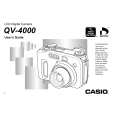 $4.99 QV-4000 CASIO
User Guide It's a complete guide ( also known as operating manual or owner's manual), and it's in PDF format. A…
|