|
|
|
Categories
|
|
Information
|
|
Featured Product
|
|
|
 |
|
|
There are currently no product reviews.
 ;
Very satisfied with received document, all is right, Thank You very much, it was a Pleasure to work with You.
 ;
great site, the most easy and fastest way to find the manual you need, no 5 star because the manual was only available in german, but I speak german as well so no problem for me.
;
thanks for this download i got a pioneer bdp-lx70a blu-ray player and it had no manual i search everywhere on the internet and came across owner-manuals.com and i found that it was so easy to find and downloaded from this site if i ever need a manual again this would be the first place that i would come too thanks guys
;
Superb! It's the original manual. We can now use our old calculator with its full function.
;
This is a very well written and comprehensive manual. It answered all our queries.
INTRODUCTION � Never touch the AC adaptor while your hands are wet. Doing so creates the risk of electric shock. � Misuse of the optional AC adaptor creates the risk of fire and electric shock. Make sure you observe the following precautions when using the AC adaptor. � Never locate the power cord near a stove or other heating device. � When unplugging from the wall outlet, grasp the plug on the AC adaptor power cord. Never pull on the power cord. � Insert the plug into the wall outlet as far as it will go. � Unplug the AC adaptor from the wall outlet before leaving the camera unattended for long periods, such as when leaving on a trip, etc. � At least once a year, unplug the AC adaptor from the wall outlet and clean off any dust built up around the prongs. IMPORTANT!
I Battery Life
� The battery lives noted in the User�s Guide are approximate values until power fails, based on use of batteries of recommended brands at normal temperature (23°C (73°F)), and do not guarantee you will be able to achieve operation for the life noted. Actual battery life is greatly affected by the battery brand, battery production date, and ambient temperature. � Leaving the camera on can run down batteries and cause the low battery warning to appear. Turn off the camera whenever you are not using it. � Sometimes, the camera may shutdown after the low battery warning appears. If this happens, immediately replace both of the batteries. Leaving low or dead batteries in the camera can lead to battery leakage and data corruption. � Though you could use alkaline batteries when there are no other types of batteries available, note that the life of alkaline batteries will be very short. Use of rechargeable nickel-metal hydride batteries or lithium batteries is recommended.
17
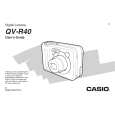 $4.99 QV-R40 CASIO
User Guide It's a complete guide ( also known as operating manual or owner's manual), and it's in PDF format. A…
|
|
|
> |
|