|
|
|
Categories
|
|
Information
|
|
Featured Product
|
|
|
 |
|
|
There are currently no product reviews.
 ;
So usefull to make my installation a breeze. 5 stars on quality.
;
very helpful, the information in these manuels are very detailed
;
Please tell us what you think and share your opinions with others. Be sure to focus your comments on the product. You will receive $2.00 of store credit for Your review.
;
Please tell us what you think and share your opinions with others. Be sure to focus your comments on the product. You will receive $2.00 of store credit for Your review.
;
Good copy and great customer service! There was some confusion with my order and it was resolved promptly!
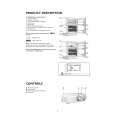
6. Select a wash-rinse temperature with the Temperature Selector. Match the water temperature wlth the type of fabric and soils being washed. l For water temperature guidelines see page 16.
on both models
7. Turn Cycle Selector Knob to the desired setting. See page 9.
8. Push the Start/Pause button to start washer. l The Cycle Selector Knob will NOT rotate as the cycle progresses. l The Cycle Status Lights indicate the operation being performed within the cycle. l When the cycle is complete, all Cycle Status Lights will be OFF. NOTE: Once a cycle has been started, the Cycle Selector Knob MUST be turned to OFF before a new cycle can be selected.
m
your washer
l
Stopping/restarting
l
l
To pause the washer at any time, push the Start/Pause button. The Cycle Status Lights will flash while the washer cycle is paused. If left in pause, the cycle will terminate after 2 hours. To restart the washer, close the lid (if necessary) and push the Start/Pause button.
To cancel cycle, turn Cycle Selector Knob to OFF. Cycle Status Lights will turn off. NOTE: When lid is opened during a cycle, all machine operation will stop. Cycle will resume when lid is closed.
8
|
|
|
> |
|