|
|
|
Categories
|
|
Information
|
|
Featured Product
|
|
|
 |
|
|
There are currently no product reviews.
 ;
again you did a very good job. It was fast too. Photocopy are really readable and clear
 ;
Probably it never existed a 1081 official service manual from Commodore, it's look more like a NAPCEC service manual & diagrams compilation of the 1084 series and his variants, like the nap6523, 8cm505, 1084S, 1084P and obviously the 1081. It's more complete than other scans and the quality of the scans also are far superior. It has two circuit diagrams variants of the 1081, mono and stereo versions. It doesn't include a diagram for the Philips CM8500 or CM8501, they look like the 1081 but they are slightly different.
;
Rapid, clear well done as all the scheme I downloaded from this site. Great job very functional and very useful
;
Great copy of the manual, has all information required for servicing,
;
I work at an authorized service center and I can tell if a manual is as it should be. This one is. It may be a scan, but a very good one at that. The interesting part for me was the curcuit diagram which was scanned at high quality, making it as good as the original. I will definitely be back as a customer. I need not say this, but I will: the price was the best. Thank you owner-manuals.com .
RC-BX30
Maintenance of laser pickup
(1) Cleaning the pick up lens Before you replace the pick up, please try to clean the lens with a alcohol soaked cotton swab. (2) Life of the laser diode When the life of the laser diode has expired, the following symptoms will appear. The level of RF output (EFM output:amplitude of eye pattern) will below.
Replacement of laser pickup
Turn off the power switch and,disconnect the power cord from the AC OUTLET.
Replace the pickup with a normal one.(Refer to "Removing the CD pickup" on the previous page)
Is the level of RF OUT under 1.25V 0.22Vp-p?
NO Replace it.
Plug the power cord in,and turn the power on. At this time,check that the laser emits for about 3 seconds and the objective lens moves up and down. Note: Do not observe the laser beam directly.
YES O.K Play a disc.
Check the eye-pattern at the "RF" test point.
Finish.
(3) Semi-fixed resistor on the APC PC board The semi-fixed resistor on the APC printed circuit board which is attached to the pickup is used to adjust the laser power. Since this adjustment should be performed to match the characteristics of the whole optical block, do not touch the semi-fixed resistor. If the laser power is lower than the specified value,the laser diode is almost worn out, and the laser pickup should be replaced. If the semi-fixed resistor would be adjusted when the pickup operates normally,the laser pickup may be damaged due to excessive current.
1-19
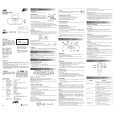 $4.99 RC-BX30 JVC
Owner's Manual Complete owner's manual in digital format. The manual will be available for download as PDF file aft…
|
|
|
> |
|