|
|
|
Categories
|
|
Information
|
|
Featured Product
|
|
|
 |
|
|
There are currently no product reviews.
 ;
Thank you for your manual It has the basic things to and i use the Oszi for Longer Time.
THX
;
Actually, I was looking for this information for 3 years!...now thanks to you, the manual is on my hands and of great help, cause I understand now where I was doing wrong connections and wires...excellent, I'll be back to you if in need, thank you.
 ;
This manual covers the main equipment features only. While it also includes the procedure for saving and loading from the now long obsolete memory cards it does not mention the how to operate with the optional floppy drive interface so I am still at a loss about how to use this! Note that there is a separate manual covering the MIDI interface and programming via the keyboard, not included in this download. You will also need to get hold of this if you want to use the MIDI interface properly. Basically there is little difference between this manual and the free to download manual for the similar PR60 model.
;
Good list of manuals. I found a very rare one and easily get. Should be promptly to download, as we must to wait hours even after confirmed payment.
;
The manual was properly scanned and perfectly readable. The only small problem is that I couldn't use my dear Ctrl + F to find a word I needed.
Edit
Select the method for dividing scenes.
DV10/11/02 1:30PM - 11/12/02
Chapter 2
Auto
Manual
Cancel
SYSTEM MENU </M/m/,, ENTER m/M
� To create scenes automatically Press </, to select �Auto,� then press ENTER. The recorder divides the generated program into scenes, and the Scene List menu appears. � To create scenes manually A Press </, to select �Manual,� then press ENTER. The display for setting the IN point appears. The scene starts to play in the background. B While watching the playback picture, press m or M to search for the IN point, then press ENTER. The IN point is set, and the display for setting the OUT point (end of the scene) appears. C While watching the playback picture, press m or M to search for the OUT point, then press ENTER. The OUT point is set, and the display asks whether to add the selected scene to the Scene List menu.
Scenes Selection
Do you want to capture the scene between IN 0:00:30 and OUT 0:00:52? OK Preview Cancel Change IN Change OUT
RETURN
x REC STOP
a Follow steps 1 to 7 of �Preparing for recording using the DV IN jack� (page 75), then press SYSTEM MENU.
Insert a DVD-RW (VR mode) into the recorder. Make sure that the disc has enough free space to record the contents of your tape.
b Press M/m to select �DV/D8 EDIT,� then press ENTER.
The DV/D8 Edit menu appears.
DV/D8 EDIT
Program Edit
Select only the scenes you want to copy from the DV/D8 tape.
Advanced Program Edit
� To preview the scene, select �Preview.� � To reset either the IN or OUT point, select �Change IN� or �Change OUT.� D Press </M/m/, to select �OK,� then press ENTER. A new Scene List menu appears with the selected scene. E Press </M/m/, to select �Add,� then press ENTER. The display for selecting the scene insertion point appears. F Press M/m to select the insertion point in the Scene List, then press ENTER. The display for setting the IN point (start of the scene) appears. G Repeat steps 2 to 6 to create all the scenes you want to add to the Scene List. You can add up to 50 scenes. � To quit editing Press </, to select �Cancel,� then press ENTER.
DV/D8 Edit List
c Press M/m to select �Advanced Program Edit,� then press ENTER.
The display asks whether to start recording.
DV/D8 Dubbing
Change the recording mode if necessary. Select "Start" to start dubbing. SP Start Cancel
If you want to change the recording mode, press </, to move the cursor, then press M/m to select the mode.
d Press </, to select �Start,� then press ENTER.
The recorder starts recording the tape contents. To quit recording, press x REC STOP. When recording is finished, the display asks if you want to create scenes within the generated program automatically or manually, or quit editing.
e To edit the Scene List, press </M/m/, to select a scene in the Scene List menu and press ENTER.
When the sub-menu appears, select an edit option you want to apply to the scene.
82
Advanced Program Edit
 $4.99 RDRGX7 SONY
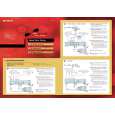
Quick Start Quick start guide ( sometimes called quick guide ) contains most important information on how to use… 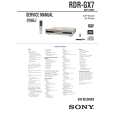 $4.99 RDRGX7 SONY
Service Manual Complete service manual in digital format (PDF File). Service manuals usually contains circuit diagr…
|
|
|
> |
|