|
|
|
Categories
|
|
Information
|
|
Featured Product
|
|
|
 |
|
|
There are currently no product reviews.
 ;
Very satisfied with received document, all is right, Thank You very much, it was a Pleasure to work with You.
 ;
great site, the most easy and fastest way to find the manual you need, no 5 star because the manual was only available in german, but I speak german as well so no problem for me.
;
thanks for this download i got a pioneer bdp-lx70a blu-ray player and it had no manual i search everywhere on the internet and came across owner-manuals.com and i found that it was so easy to find and downloaded from this site if i ever need a manual again this would be the first place that i would come too thanks guys
;
Superb! It's the original manual. We can now use our old calculator with its full function.
;
This is a very well written and comprehensive manual. It answered all our queries.
For private listening Connect a pair of headphones to the PHONES jack. No sound comes out of the speakers. Be sure to turn down the volume before connecting or putting on headphones.
Reinforcing the Bass Sound (AHB PRO) [RD-T70BU Only]
You can reinforce the bass sound to maintain rich, full bass at low volume: To get the effect, press the AHB (Active Hyper Bass) PRO button. The �BASS� indicator lights up on the display. To cancel the effect, press the button again. The �BASS� indicator goes out.
Adjusting the dimmer level: (On the Unit only) 1. With the Unit turned on, press and hold the DIMMER button on the Unit until �DIMMER:XX� appears on the display. 2. Turn the Jog dial and adjust the dimmer level between 1 and 16. 3. Press the DIMMER button.
When operated on batteries ����
When the Unit is turned on, you can turn on the backlighting of the display for a few seconds. Each time you press the SNOOZE/DIMMER button, the backlight turns on for a few seconds.
Using Batteries
Power Batteries (6 pcs.): You can operate the System on batteries. When the batteries are exhausted, �NO BATT� will appear on the display. In this case, replace with the new batteries. Memory Backup Batteries (3 pcs.): Your settings such as the preset stations, clock and timer are backed up with this batteries. CAUTION: If memory backup batteries are exhausted or not installed, and the AC power cord is disconnected or there is a power failure, the settings you have made will be erased from memory in approx. half a day.
Tone Control (BASS/TREBLE)
You can control the tone by changing the bass and treble.
I Press the BASS/TREBLE button until �BASS� 1.
or �TREBLE� appears on the display.
Each time you press the button, the display changes as follows: BASS = TREBLE = original display = (back to the beginning)
I Turn the Jog dial on the Unit or press the 2.
VOLUME +/� button on the Remote Control to adjust the level.
The bass or treble level changes between �6 and +6. (0: Flat)
To exit the tone control mode, press the BASS/TREBLE button until the original display appears, or wait for 15 seconds. To forcibly reset the bass and treble levels to 0 (FLAT), press the BASS/TREBLE button for 2 seconds or more.
Showing the Time (CLOCK/ DISPLAY)
While listening to a CD or the radio, you can see the current time. To display the clock, press the CLOCK/DISPLAY button on the Unit. To return to the original display, press the same button until the original display appears. Note: You need to set the clock first in order for it to work. (See �Setting the Clock� on page 9.)
Adjusting the Brightness (DIMMER) [RD-T70BU Only]
When operated on AC power ���
You can switch the brightness of the display�s backlighting (full light and dimmed light). In addition, the dimmed backlighting brightness can be changed in 16 steps. When the Unit is turned on: Each time you press the SNOOZE/DIMMER button, the backlight fully turns on or dims. When the Unit is turned off (Standby): Each time you press the SNOOZE/DIMMER button, the backlight dims or turns off. When the Sleep Timer is on: You can also dim or turn off the backlight with the SNOOZE/DIMMER button.
4
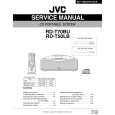 $4.99 RDT70BU JVC
Service Manual Complete service manual in digital format (PDF File). Service manuals usually contains circuit diagr…
|
|
|
> |
|