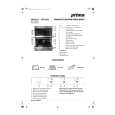
|
|
|
Categories
|
|
Information
|
|
Featured Product
|
|
|
 |
|
|
There are currently no product reviews.
 ;
manual de usuario perfecto y completo de buena calidad de impresion y muy detallado ideal !
 ;
It`s full copy of a service manual from url http://www.philips.owner-manuals.com/PM3216-service-manual-PHILIPS.html
;
perfect! you just sent to me the copy in Italian witout even my specification!!!! so you are really smart cooperative and efficient. To my opinion the best place all over to get a manual of electronics!!!!
;
Well Well Well!!!! Good manual perfect for my hobby!!! As Before you have done a very well done work!!!! Thank you
;
Super nice! Good to have a manual in digital format.
RIGHT FRONT CONTROL KNOB
OVEN SIGNAL
LIGHT
OVEN TEMP CONTROL KNOB
Using the surface units
PUSH IN Turn to Setting
Surface Unit Indicators
The solid dot in the surface unit indicator shows which surface unit is turned on by that knob.
Signal light
The Top Signal Light will glow whenever a surface unit is on.
Control knobs must be pushed in before turning them to a setting. They
can be set anywhere and OFF. between HI
Until you get used to the settings, use the following
start cooking cooking.
Use HI to
as a guide. For best results,
knob down to continue
at the high settings; then turn the control
Use5or6
Use 4 for
Use2or3
use SIM
to
start foods cooking; to bring liquids to a boil.
to hold a rapld boil; to fry chicken or pancakes.
gravy, puddings and icing; to cook large amounts of vegetables.
to keep food cooklng after starting It on a hlgher settlng.
CAUTION: The use of the HI setting for long periods of time can damage surface units and discolor chrome reflector bowls. Start cooklng on HI and turn control down to continue cooking.
1
1
keep food warm until ready to serve. Set the heat hlgher or lower to keep foods at the temperature you want.
5
|
|
|
> |
|