Shopping cart is empty
 
English Polski Spanish 
Search For a Manual
 

(e.g. AA-V20EG JVC, ZX-7 Sony )
PayPal 1000+ rating Secure, Encrypted Checkout.
 
Categories
Information
Featured Product
Home >> PHILIPS >> RFX9400/37 Owner's Manual
 
 0 item(s) in your cart 

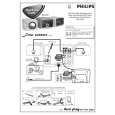
PHILIPS RFX9400/37
Owner's Manual


Tweet about this product and get $1.00 of store credit for instant use!
  • Download
  • PDF Format
  • Complete manual
  • Language: English, German, French, Spanish, Dutch, Russian
Price: $4.99

Description of PHILIPS RFX9400/37 Owner's Manual

Complete owner's manual in digital format. The manual will be available for download as PDF file after You purchase it.

Owner's Manual ( sometimes referred to as User's Guide or User's Manual ) contains information on how to use Your device. After placing order we'll send You download instructions on Your email address.

The manual is available in languages: English, German, French, Spanish, Dutch, Russian

Not yet ready
You must purchase it first

Customer Reviews
There are currently no product reviews.
Other Reviews
 E906 SENNHEISER Owner's Manual by Stephane Pouliot;
Great price, Quick delivery, the document was very usefull A+++++++++++++++
 LX-M340A LG / GOLDSTAR Owner's Manual by Carlos Estrada;
Thank´s for your help, I already recived these manual from you
 CS-1021 KENWOOD Owner's Manual by Salvatore Zaffetta;
Thank you for your manual It has the basic things to and i use the Oszi for Longer Time. THX
 TX4030 TEAC Owner's Manual by Federico Muguruza;
Actually, I was looking for this information for 3 years!...now thanks to you, the manual is on my hands and of great help, cause I understand now where I was doing wrong connections and wires...excellent, I'll be back to you if in need, thank you.
 SX-PR100 TECHNICS Owner's Manual by Bob Anderson;
This manual covers the main equipment features only. While it also includes the procedure for saving and loading from the now long obsolete memory cards it does not mention the how to operate with the optional floppy drive interface so I am still at a loss about how to use this! Note that there is a separate manual covering the MIDI interface and programming via the keyboard, not included in this download. You will also need to get hold of this if you want to use the MIDI interface properly. Basically there is little difference between this manual and the free to download manual for the similar PR60 model.

Text excerpt from page 5 (click to view)
RFX9400 Benutzerhandbuch RFX9400 Starter�s Guide

Bevor Sie beginnen
Der Pronto Wireless Extender ist ein wichtiges Element Ihres Pronto Systems, mit dem Sie AV-Geräte über Hochfrequenzen im gesamten Haus bedienen können. Zur Benutzung des Extenders in Ihrem drahtlosen Pronto Network: � Konfigurieren Sie den Extender: Schlie�en Sie ihn an Ihren PC an und verwenden Sie das Configuration Tool. � Installieren Sie den Extender: Schlie�en Sie ihn an ein externes AV-Gerät an, z. B. einen Fernseher oder einen Receiver. Sie können den Extender auf zwei Arten benutzen:

Im Stand-alone Mode (als Einzelgerät)
Das ist der sogenannte �Ad-Hoc-Modus�: dabei ist kein Router erforderlich.

Die Vorteile des Stand-alone Mode:
� Der Extender lässt sich ganz einfach konfigurieren und installieren. � Er arbeitet unabhängig von anderen Netzwerken und Netzwerkeinstellungen. In Kapitel �Verbindung im Stand-alone Mode� auf Seite 4 erfahren Sie, wie Sie den Extender im Stand-alone Mode konfigurieren können.
Hinweis Wenn Sie den Escient Fireball Audioserver zusammen mit einem oder mehreren Extendern benutzen möchten, müssen die Extender im Network Mode konfiguriert werden.

Im Network Mode
Das ist der sogenannte �Infrastruktur-Modus�: der Extender wird in einem Netzwerk mit Router benutzt.

Die Vorteile des Network Mode:
� Im Netzwerk können Sie Verstärker verwenden, die die Reichweite Ihres Pronto Systems erhöhen. � Wenn Sie ein separates Pronto Network einrichten, kann der Extender unabhängig von Einstellungen anderer Netzwerke arbeiten. � Dem Extender kann im Network Mode eine feste IP-Adresse zugewiesen werden. Dadurch wird die Zuverlässigkeit erhöht. � Die Netzwerk-Verbindung kann verschlüsselt werden. In Kapitel �Verbindung im Network Mode� auf Seite 4 erfahren Sie, wie sie den Extender im Network Mode konfigurieren.
Hinweis Ein Extender, der im Stand-alone Mode konfiguriert wurde, kann jederzeit im Network Mode neu konfiguriert werden und umgekehrt. Sie können bis zu 16 verschiedene Extender im einem Pronto Network installieren. 2

DEUTSCH

You might also want to buy

$4.99

SX-K700 TECHNICS
Owner's Manual

Complete owner's manual in digital format. The manual will be available for download as PDF file aft…

$4.99

CJ-V51 PIONEER
Service Manual

Complete service manual in digital format (PDF File). Service manuals usually contains circuit diagr…

$4.99

GRAND PRIX ELECTRONIC 754 BECKER
Service Manual

Complete service manual in digital format (PDF File). Service manuals usually contains circuit diagr…

$4.99

SX-PR602 TECHNICS
Service Manual

Complete service manual in digital format (PDF File). Service manuals usually contains circuit diagr…

$4.99

EV-S1000E SONY
Owner's Manual

Complete owner's manual in digital format. The manual will be available for download as PDF file aft…

$4.99

GRAND PRIX ELECTRONIC 780 BECKER
Service Manual

Complete service manual in digital format (PDF File). Service manuals usually contains circuit diagr…

$4.99

AG7330 PANASONIC
Service Manual

Complete service manual in digital format (PDF File). Service manuals usually contains circuit diagr…

$4.99

MECABLITZ 60 CT4 METZ
Service Manual

Complete service manual in digital format (PDF File). Service manuals usually contains circuit diagr…
>
Parse Time: 1.025 - Number of Queries: 134 - Query Time: 0.482