|
|
|
Categories
|
|
Information
|
|
Featured Product
|
|
|
 |
|
- DISASSEMBLY
- Removal of the Case Assy, Upper
- DIAGRAMS
- Circuit Boards Location
- Titler Block Diagram
- Editing Controller Block Diagram
- PRINTED WIRING BOARDS AND SCHEMATIC DIAGRAMS
- Printed Wiring Boards and Schematic Diagrams
- VI - 60 Board
- MC - 33, LC - 10, RP - 71, SH-5, RC - 28 and DI - 18 Boards
- Semiconductors
- EXPLODED VIEWS
- Main Assembly
- ELECTRICAL PARTS LIST
- ELECTRICAL ADJUSTMENTS
- Power Supply Section Adjustment (MC - 33 Board)
- Video Section Adjustment
- 4 fsc Adjustment (VI - 60 Board)
- CLK Adjustment (VI - 60 Board)
- PLL Adjustment (VI - 60 Board)
- SYNC Generator Phase Adjustment (VI - 60 Board)
- Character Generator Clock Timing Adjustment (VI - 60 Board)
- TINT Adjustment (VI - 60 Board)
- Y Level Adjustment (VI - 60 Board)
- DC Balance (Y) Adjustment (VI - 60 Board)
- INT Burst Adjustment (VI - 60 Board)
- EXT Chroma Level/Phase Adjustment (VI - 60 Board)
- DC Balance (C) Adjustment (VI - 60 Board)
- Chroma Level Adjustment (VI - 60 Board)
- Parts Location Diagram Relevant to the Adjustments
- GENERAL
- Location and Function of Controls
- Caution Indications
- Supplement
- Outline of the RM - E300
- About the Instruction Manual
- Features
- To Insert Lithium Batteries
- Before Connection
- Connection of the Video/Audio Jacks and the Power Source
- Selection of the Control of the Recorder
- Connection of the Control Signal
- When Using a Sony Recorder without the CONTROL L or CONTROL S Connector
- When Using Other Manufacturers' Video Product as the Recorder
- Quick Guide for Operations
- Kinds of Title
- To Create the Character Title
- To Create the Video Image Title with the Video Camera Recorder
- To Overlay the Character Title and the Video Image Memory
- To Clear the Memorized Title
- To Display the Memorized Title
- To Color the Background of the Character Title Gray
- About the Ways of Editing
- To Edit the Entire Tape Contents to Another Tape - Dubbing
- Preparations for Editing
- To Edit only Desired Scenes While Viewing Playback - Manual Assemble Editing
- To Edit only Desired Scenes Automatically in the Desired Sequence - Automatic Assemble Editing
There are currently no product reviews.
 ;
Very good product. Best service manual. Many thanks
;
I am only search for 5 Minute, by it in 5 Minutes to and get ist in few ours! Best i found in the Internet and my Amplifer is repaired as well! Thank you
 ;
Readable text and good copy. Very much needed if you wish to do some repairs on this fine old unit.
;
Fint forløb med levering af manualen. Kvaliteten af skanningen betegnes som middel
;
I found the manual to be clear concise and complete. It was of immense assistance when removing the unit as the unit was over 22 years old and the wiring diagram was unobtainable from the manufacturer. The exploded drawings were clear as were the instructions and labels.
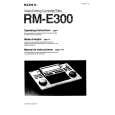 $4.99 RME300 SONY
Owner's Manual Complete owner's manual in digital format. The manual will be available for download as PDF file aft…
|
|
|
> |
|