|
|
|
Categories
|
|
Information
|
|
Featured Product
|
|
|
 |
|
|
There are currently no product reviews.
 ;
Good quality, the manual help me to repair the echo/reverb section
;
A good service manual with lots of info and a very fair price
;
Great value, good scan, just as expected, everything that you need.
;
Good scan, great price, but almost the same with the SV260 service manual.
;
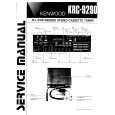
This PDF is very comprehensive. It includes drawings, parts lists, schematics, pictures, PCB drawings, mechanical layouts, etc. for all three stackable equipment. The scans are good too. Easy to read and no smudges or black lines. I have no complaints. I will make this site my first stop for finding my service manuals.
3. TROUBLESHOOTING
3-1. Test Mode is not activated With the set assembled in the front panel, the Test mode does not become active if any button was pressed by any reason.Under this condition, the power is not turned on even in the normal status. (The set is kept in Standby status = Red LED is kept on) Not only the buttons are inactive, but also a signal from remote commander is not accepted. To check this condition, with the self check port (pin ws of IF CON) kept in �Low� status, supply the AC power, so that the Test mode is forcibly activated. On the board, short the lands where SELF is printed. The IF CON checks the self check port only after the power on reset (only when AC is supplied; not in Standby status). If any button was pressed, the button name should be displayed on the FL display tube. Though no button is pressed this time, display of other than NOTHING implies that the button was pressed. 3-2. Power is not turned on 1 Red (STANDBY) LED does not light up when AC was supplied. The power (EVER 3.3 V) is not supplied. X201 is oscillating. 2 Red (STANDBY) LED is kept on though POWER button was pressed. Any button is kept pressed. PONCHK (IF CON pin uj) is over 0.1 V. 3 Green LED lights up when POWER button was pressed, but red LED lights up again after several seconds. PONCHK (IF CON pin uj) is abnormal. (Slow rise time from 0.1 V to 1.5 V. Voltage must be less than 1.5 V) SYSTEM CONTROL does not operate normally.
6-18 E 6-18
|
|
|
> |
|