|
|
|
Categories
|
|
Information
|
|
Featured Product
|
|
|
 |
|
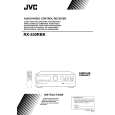
- Safety Precautions
- Instruction Book
- Description of Major ICs
- Internal Connection of Display
- Disassembly Procedures
- Adjustment Procedures
- Block Diagrams
- Printed Circuit Boards
- Schematic Diagrams
- Parts List
- Switches, Buttons and Controls
- Getting Started
- Before Installation
- Checking the Supplied Accessories
- Connecting the FM and AM (MW/LW) Antennas
- Connecting the Speakers
- Connecting Audio/Video Components
- Connecting Audio Components for the COMPU LINK - 3 Remote Control System
- Connecting the Power Cord
- Putting Batteries in the Remote Control
- Basic Operations
- Turning the Power On and Off (Standby)
- Selecting the Source to Play
- Selecting the Front Speakers
- Adjusting the Volume
- Muting the Sound
- Recording a Source
- Listening with Headphones
- Basic Setting
- Adjusting the Front Speaker Output Balance
- Listening at Low Volume (Loudness)
- Using the Sleep Timer
- Selecting the Center Speaker Size
- One Touch Operation
- About the One Touch Operation
- Using the One Touch Operation
- Receiving Radio Broadcasts
- Tuning in Stations Manually
- Using Preset Tuning
- Selecting the FM Reception Mode
- Using the RDS (Radio Data System) to Receive FM Stations
- What Information Can RDS Signals Provide?
- Searching for a Program by PTY Codes
- Switching to a Broadcast Program of Your Choice Temporarily
- Using the Preset SEA Modes
- Selecting Your Favorite SEA Mode
- Using the Surround Processor
- Using JVC's Hall Surround
- Speaker Arrangement for Dolby Surround
- Preparing for Dolby Surround
- Using Dolby Surround
- COMPU LINK Remote Control System
- Using the Remote Control
- Troubleshooting
- Specifications
- General Exploded View and Parts List
- Electrical Parts List
- (ENH - 301)
- (ENB - 246)
- (ENA - 178)
- (ENC - 135)
- Accessories List
- Packing Materials and Part Numbers
There are currently no product reviews.
 ;
OK?..manual is complet and helpfull... for repairing such a old and rare boombox like JVC PCM it is necessary...
;
Super Anleitung. Ordentliche Auflösung. Das ganze noch in Deutsch wäre zu schön. Alle Datenblätter sind sauber Kopiert und alle Leitungswege sind sauber ausgeführt
;
Thanks God for the internet and thanks for the service like this - proffessional solution on time.
;
About the service it's very fast and reliable. About the manual the quality is high enough to read even the tiniest details on the wiring diagrams so you can't ask much more than that, let it alone for a manual of a product from 20 years ago. Thank you, very satisfied.
;
The downloaded quality was as good as the orignial
|
|
|
> |
|




 Home
Home