|
There are currently no product reviews.
 ;
Great Job!!! clear and efficient as always!!
it is really nice to have peple that are doing such a good work!!!!!
;
I must admit, I was very skeptical... $4.99 for a 74 page service manual. I've seen some very poorly scanned manuals on the Internet, but this one is VERY good quality! Even when zooming into 500%. Great Deal!
;
Very good detail, Quick service response. A useful service manual with all details. I recomend this service.
;
As Always you can find here manuals even of difficult TV scheme which are scan in almost perfect way.clear and fast!!!!!
Great work thanks!
;
Incredibly clear!!!! Well done, complete and wonderful. It could not better than this!!!!
3.1.7 Removing the AC power supply board (See Figs.8 and 9) � Prior to perform the following procedures, remove the top cover and tuner. (1) From the top side of the main body, cut the tie band and disconnect the wires from the connectors CN203 to CN205 and CN218 on the AC power supply board. (2) From the back side of the main body, remove the two screws J attaching the AC power supply board. (See Fig.8) (3) Remove the three screws K attaching the AC power supply board. (4) Remove the fasteners from the reverse side of the AC power supply board. Reference: � After attaching the AC power supply board, bundling the wires using the new tie band.
Rear panel
Strain relief
J
Fig.8
Fastener
K
Wire clamp CN218
Tie band CN203
K CN204
CN205 AC power supply board Power cord Fig.9
3.1.8 Removing the DC power board (See Fig.10) � Prior to perform the following procedures, remove the top cover, front panel assembly and digital input board. (1) From the top side of the main body, disconnect the wires from the connectors (CN201, CN206, CN207, CN211, CN510, CN520, CN711) on the DC power board. (2) Disconnect the parallel wire from the connector CN712 on the amp. board. (3) Disconnect the wire from the connector CN218 on the AC power supply board. (4) Remove the two screws L attaching the DC power board.
CN201 CN520
DC power board CN711 CN206
L
CN510
CN218 CN207 AC power supply board
L
Fig.10
CN211 CN712 Amp. board
(No.MB105)1-7
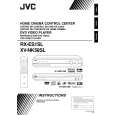 $4.99 RX-ES1SL JVC
Owner's Manual Complete owner's manual in digital format. The manual will be available for download as PDF file aft…
|