|
|
|
Categories
|
|
Information
|
|
Featured Product
|
|
|
 |
|
|
There are currently no product reviews.
 ;
I downloaded the document. The manual was complete, well scanned and everything was legible. I could zoom in see what I needed to know. There's not much more that you can ask.
;
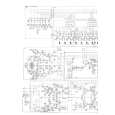
It was complete service manual with all needed service informations. Thanks.
 ;
El manual esta muy detallado, los numeros de partes y los esquemas de despiece son correctísimos y muy claros, tanto para los técnicos experimentados como para los novatos.
;
Ottima qualità grafica e completo nelle notizie. Costo abbastanza contenuto.
;
Great and quick support. The maual was exactly what I was looking for and my problem
solved. Many thanks.
Operation with DVD, Video CD and Audio CD Playing a DVD, Video CD and Audio CD
Playback Setup
DVD VCD2.0 VCD1.1 CD
Exchanging discs during playback
Press DISC CHANGE on the front panel during playback to open the disc tray. Press DISC SKIP to rotate the disc trays to the desired position. The carousel will rotate clockwise by one disc increments. Exchange the discs and press DISC CHANGE or OPEN/CLOSE to close the disc tray. Note � The disc tray presently loaded in the play position can not be exchanged.
Turn on the TV and select the video input source corresponding to the DVD player. Audio system: Turn on the audio system and select the input source connected to the DVD player.
1
Press OPEN/CLOSE to open the disc tray.
2 Load facingdisc in the center position, with the your label up.
Do not load a disc in the left and light side position. Center position
Skipping discs
Press DISC SKIP during play or when playback is stopped. Notes � When DISC SKIP is pressed, the disc tray rotates and playback begins from the beginning of the next disc. � If there is no disc on the next disc tray, the following disc tray will be selected. � When DISC SKIP is pressed during playback of disc 5, playback of disc 1 will start.
When a double-sided DVD is inserted, make sure the side you want to play is facing up. � Discs can be loaded one at a time by pressing DISC SKIP to rotate the carousel.
3 Press OPEN/CLOSE to closescreen, and playback the tray. READING appears on the TV
starts automatically. If playback does not start, press PLAY. In some cases, the disc menu may appear instead.
Exchanging the disc and starting playback
1. Press OPEN/CLOSE during playback or when playback is stopped. 2. Exchange the disc. 3. Press OPEN/CLOSE or PLAY again. The tray closes and playback begins (with the disc that was in front).
Play stops (if pressed during playback), the disc tray opens and the disc that was in the play position comes to the front.
If a disc menu screen is displayed
The menu screen may be displayed first after loading a DVD or Video CD that contains a menu.
DVD
Use the 1 2 3 4 buttons to select the title/chapter and additional selections you want, then press ENTER to start playback. Press TOP MENU or MENU to return to the disc menu screen.
VCD2.0
Use the number buttons to select the track you want to view. Press RETURN to return to the disc menu screen. Menu setting and the exact operating procedures for using the disc menu may differ depending on the disc. Follow the instructions on each menu screen. You also may set PBC to Off under setup. See page 14. Notes � If Parental Control is set and the disc is not within the Rating settings (not authorized), the 4-digit password must be entered and/or the disc must be authorized (see �Parental Control�, on page 15). � DVDs may have a region code. � Your player will not play discs that have a region code different from your player. The region code for this player is 1 (one).
1-18
|
|
|
> |
|