|
There are currently no product reviews.
 ;
Copy of genuine owners/operators manual, very useful
;
The manual was a perfect match and was exactly what I was looking for. I'm very satisfied with my purchase.
;
Thank you for having the manual I needed for an older model Aiwa stero I had found on Ebay --- I wanted the Aiwa because I had tapes and cd's but I did not have a manual as to how to operate the system... I found what I needed and it has enabled me to set the system up for my enjoyment.
;
I wished detailed information of the JBL S310 and here I found it! Very happy with the service from this site!
;
The manual was very helpfull, it answerdes all my questions, and i was surprized to find the original manual on this site! Big thumbs uP:)
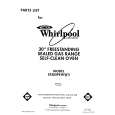
Using Your Range Contmued To delay start and stop automatically: 1. Position the oven rack(s) properly, and place the food in the oven. 2. Push the Bake Time button. �--:--� will show in the large display and the BAKE and TIME indicators will come on.
3. Turn the Set Knob clockwise until the desired baking time shows in the display.
Push the Stop Time button. The BAKE, STOP and TIME indicators will come on. Turn the Set Knob clockwise until the desired stop time shows in the large display. The DELAY, BAKE, STOP and TIME indicators will come on. The oven will beep once every 10 seconds until a baking temperature is selected.
Push the Bake Temp button and set the desired temperature. The BAKE indicator will come on. Changes can be made at any time by pressing a command button. When the start time is reached, the DELAY and STOP indicators will go off. The display will show the oven temperature and the ON indicator will come on. When baking time is completed, the oven will turn off automatically, beep 3 times, then beep once every 10 seconds for 5 minutes or until the Oven Off button is pushed. The time of day will show in the large display. 14
|