|
|
|
Categories
|
|
Information
|
|
Featured Product
|
|
|
 |
|
- Features
- How this Manual is Organized
- IMPORTANT CAUTIONS
- Getting Started
- Accessories
- How to Put Batteries in the Remote Control
- Using the Remote Control
- Connecting the FM Antenna
- Using the Supplied Wire Antenna
- Using an FM 75 - Ohm Antenna Cable (not Supplied)
- Connecting the AM Antenna
- Connecting the Speakers
- Connecting Auxiliary Equipment
- COMPU PLAY
- Common Operations
- Turning the Power On and Off
- Turning the System On
- Turning the System Off
- Adjusting the Volume
- Reinforcing the Bass Sound
- Sound Modes
- Listening to Auxiliary Equipment
- Using the Tuner
- Tuning in a Station
- Switching between Frequency Bands
- Three Ways to Select a Station
- Presetting Stations
- Changing the FM Reception Mode
- Using the CD Player
- The Quickest Way to Start a CD is with the One Touch Operation
- Loading Discs
- Basics of Using the CD Player — Normal Play
- Playing a Disc
- Selecting a Disc, Track Or Passage within a Track
- Locating a Track with the Remote Control Directly
- Changing Discs While Playing
- Continuous Play
- Programming the Playing Order of the Tracks
- Random Play
- Repeating a Selection or the Discs
- Tray Lock Function
- Locking the Trays
- Unlocking the Trays
- Using the Cassette Deck (Listening to a Tape)
- Regular Play
- Music Scan
- Finding the Beginning of the Current Selection
- Finding the Beginning of the Next Selection
- Reverse Mode
- Using the Cassette Deck (Recording)
- Things to Know before You Start Recording
- Standard Recording
- Recording AM Station to Tape
- CD Direct Recording
- Tape to Tape Recording (Dubbing)
- How to Use the DUBBING Button
- Using the Timer
- Setting the Clock
- Setting the Timer
- Setting the Sleep Timer
- Care And Maintenance
- Troubleshooting
- Specifications
- Safety Precautions
- Instruction Book
- Description of Major ICs
- Internal Connection of FL Display
- Removal of Main Parts
- Flow of Functional Operation until TOC Read
- Maintenance of Laser Pickup
- Replacement of Laser Pickup
- Main Adjustment
- Self Diagnosis Function of CD
- Block Diagrams
- Schematic Diagrams
- Printed Circuit Boards
- Parts List
There are currently no product reviews.
 ;
It is wonderful done!!! a great job in scanning the manual. Superior quality in all the electric scheme. Very understandable and net!!! Thank you!
 ;
muy buen manual por lo completo de este algunos esquemas estan muy divididos lo que hace algo dificil el seguimiento.
;
very good manual, with detail and clarity in esquematic diagrams and waveforms .
;
Very quality copy of original service manual, which contains the circuit diagrams, PCB and lists of components, well as recommendation for calibration procedures of device, also everything else, that need for repair, tuning and use this oscilloscope.
All presented copies have high-resolution, so you can view all in detail.
This manual will very useful for simple owners and for repairers.
I recommend these manual, because myself is owner of Philips PM3216 and I need sometimes servicing these oscilloscope (principally calibrating).
Also, these document is an example of excellent design of technical documentation.
;
Excellent printing quality.
A complete and very usefull service manual with all details.
GREAT SERVICE AT VERY LOW PRICE!
A+++++++++++++++++++++++++
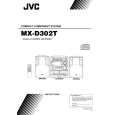 $4.99 SP-D302 JVC
Owner's Manual Complete owner's manual in digital format. The manual will be available for download as PDF file aft…
|
|
|
> |
|