|
|
|
Categories
|
|
Information
|
|
Featured Product
|
|
|
 |
|
|
There are currently no product reviews.
 ;
y'm hapy for this shoping . Estoy feliz por esta compra , ahora puedo reparar mi equipo de audio que AMO . And very good price for this manual . Thank yuo .
;
Perfect manual, perfect service. Easy reading. Thanks a lot
;
Very good quality download here. Great hard to find manuals at a reasonable price.
 ;
I had a problem with the mains transformer, I did not know the voltages on the secondary, this manual helped me to solve this problem, thanks for the manual!
;
Great manual, great quality copy, complete parts reference and scematics, Thank you
[Switch � LED Test] � This mode is activated when [ANSWER] key is pressed in the Test Mode Idle status. 1. [DIAL MODE] switch test T (TONE) side : ANSWER LED ON P (PULSE) side : ANSWER LED OFF 2. [RINGER SELECT] switch test 3 (3-time terminating setting) : CHARGE/IN USE LED ON TS (Toll Saver) : ANN ONLY :  CHARGE/IN USE LED OFF 
3-2.
HANDSET
[Start-up method] 1. Starting with POWER ON � Reset the POWER ON with TEST SW pin (IC501 #� pin) in �H� status, and the Test mode starts. 2. Starting from Idle status � In the Idle status, press [TALK] , [0] and [7] keys at the same time, and the Test mode starts. 3. Operation at start-up � When the Test mode starts, the Handset causes the ringer to sound for 500ms, sets a channel depending on the key matrix condition so as to be ready for receiving. Also, the Handset sets the Liquid cristal display all turn on, the RSSI gain to High, and goes in the Test Mode Idle status. � For the COL0~COL3 logic of key matrix and channel setting, refer to the frequency table.
[Dial � Auto Hold Reset � Charge Test] � This mode is activated when [REPEA T] key is pressed in the Test Mode Idle status. 1. Dialtest Each time [REPEA T] key is pressed, the following dial signals are transmitted: �0� of PULSE � �1� of DTMF � �#� of DTMF � 2. Hold reset test The ANSWER LED turns on when the hold reset detection port is in �High� status, or turns off when �Low�. (Once the �Low� is detected, �Low� is kept during the Test mode.) 3. Charge detection test The CHARGE LED turns on at Charge ON, or turns off at Charge OFF.
[Operation in Test Mode Idle status] 1. RSSI monitoring � The RSSI is always monitored at IC501 $� pin (SIG-IN). (RSSI is present: SIG-IN = �Low�, RSSI is not present: SIGIN = �High�) 2. [RING ON/OFF] switch monitoring � In the Test mode, the RING MODE port is always monitored at IC501 7 pin (RING MODE), and if RING is ON (RING MODE = �High�), the buzzer volume is increased, or if RING is OFF (RING MODE = �Low�), the buzzer volume is reduced. 3. Key input monitoring In the Test Mode Idle status, key input is always monitored, and a key touch tone is generated each time a key is pressed, then respective modes are activated according to the key pressed. HAND SET FREQUENCY TABLE
Pin No. Channel 1CH 2CH 3CH 4CH 5CH 14CH 15CH 16CH 17CH 23CH 24CH 25CH T1CH T2CH T3CH T4CH !� !� !§ !¶ RX FREQUENCY TX FREQUENCY COL3 COL2 COL1 COL0 (MHz) (MHz) 0 0 0 0 0 0 0 0 1 1 1 1 1 1 1 1 0 0 0 0 1 1 1 1 0 0 0 0 1 1 1 1 0 0 1 1 0 0 1 1 0 0 1 1 0 0 1 1 0 1 0 1 0 1 0 1 0 1 0 1 0 1 0 1 43.720 43.740 43.820 43.840 43.920 44.460 44.480 46.610 46.630 46.870 46.930 46.970 43.780 43.890 46.800 46.900 48.760 48.840 48.860 48.920 49.020 49.460 49.500 49.670 49.845 49.930 49.990 49.970 48.800 48.970 49.910 49.950
[C-ID Test] � This mode is activated when [PLA Y/ST OP] key is pressed in the Test Mode Idle status. � �0" is displayed on the 7-SEG LED where the public network terminating mode is activated so as to receive a call ID. � When a call ID was received, checksum is judged, and �1� is displayed on 7-SEG LED if matched, or �0� is still displayed if not matched.
� 25 �
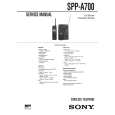 $4.99 SPPA700 SONY
Owner's Manual Complete owner's manual in digital format. The manual will be available for download as PDF file aft…
|
|
|
> |
|