|
|
|
Categories
|
|
Information
|
|
Featured Product
|
|
|
 |
|
|
There are currently no product reviews.
 ;
This GRUNDIG UV5A Owner Manual is not only an instruction manual but a total functional circuit description of the Multimeter and includes circuit diagram at the end pages. It is very helpful for repairing and calibrating the instrument. It is written in two languages English and German for international support. It was very easy to repair my unit with this document. Regards, Regis Pauly, Electrical Engineer.
;
The owner's manual was evetything I thought it would be. I was able to print it out using both sides of the paper in quick order, saving me a search online for a used one.
 ;
Хорошее качество сканирования.
Мануал пришел часов эдак через 12. В целом доволен.
;
Fantastic quality and impressive delivery time. Based on this manual, I recommend this service without hesitation! Five Stars for certain.
;
Was happy to find the complete owners manual... It's all in there, just like the original...
English
Connections
Connecting the speaker system to the amplifier
Before connecting� � Turn off the power to the amplifier before connecting the speaker system; otherwise, the speakers may be damaged. � The impedance of each speaker is 6 �. Before connecting them to your amplifier, check the speaker impedance range of your amplifier. If the impedance of this speaker is out of the speaker impedance range indicated on the amplifier, you cannot connect this system to the amplifier. � The maximum power handling capacity of the speakers are 100 W. Excessive input will result in abnormal noise and possible damage. � Be sure to turn down the volume level to prevent unwanted noise before performing following operations: � Turning on or off other components, � Operating the amplifier, � Tuning FM stations, � Fast-forwarding a tape, � Continuously reproducing high frequency oscillation or high pitch electronic sounds. � When using a microphone, do not aim it at the speakers or use it near the speakers; otherwise, the howling which occurs may damage the speakers. � Before replacing the cartridge, always turn off the power to the turntable; otherwise, the clicking noise may damage the speakers.
Connecting the Center speaker
Copper Red
Black striped
Black Press Insert Release
Typical connection method to an amplifier
Connect the speakers to the speaker terminals of the amplifier with the speaker cords by referring to the diagram below. � Make sure to match the polarity (ª and ·) when connecting the speaker cords. � The diagram below is an example of a typical connection. Only for SP-XF70
CENTER FRONT LEFT FRONT RIGHT
FRONT
RIGHT LEFT
Speaker layout
Front left
Front right
Center
Subwoofer
SURROUND BACK
Amplifier
CENTER
RIGHT
SURROUND SURROUND SPEAKERS LEFT BACK
SURROUND RIGHT SURROUND LEFT
For SP-XF30: Recommended to use SP-SB100�optionally purchased. Surround left Surround back Surround right
Connecting the Surround back speaker�Only for SP-XF70
Black striped Red
Black Copper Press Insert Release
�4�
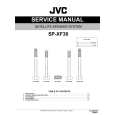 $4.99 SPXF30 JVC
Service Manual Complete service manual in digital format (PDF File). Service manuals usually contains circuit diagr…
|
|
|
> |
|