|
|
|
Categories
|
|
Information
|
|
Featured Product
|
|
|
 |
|
|
There are currently no product reviews.
 ;
Quick service response. A useful and very rare service manual with all details. I recomend this service.
;
I ordered this manual sometime in the afternoon and I received it on my e-mail the same evening.
This is a fantastically good and properly scanned copy of the original manual. All pages are of the same scale and they overlap each other. It means that you can print the manual and easily make it as a convenient paper manual.
The content of the manual is fantastic. Alignment descriptions, PCB layouts and elementary diagrams are explicit and precise. I immediately found what I was looking for. Thanks to this manual and Owner-Manuals.com my amplifier is alive again. Many thanx indded!
;
The manual was well-scanned and easy to read. As an added bonus, the Operator's Manual was bundled with the Service Manual!
I'd definitely use owner-manuals.com again.
;
Finally, i found one website, where i can download this service manual , and fix my hifi. The service manual is very good, and easy to download and to print.
 ;
Complete and very useful. Could have benefited from a little higher resolution on the schematic and layout diagrams for improved legibility.
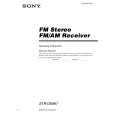
STR-DE897 SECTION 3 TEST MODE
FACTORY PRESET MODE
* All preset contents are reset to the default setting. * Procedure: While depressing the [FM MODE] and the [DISPLAY] buttons simultaneously, press the ?/1 button to turn on the main power. The message �FACTORY� appears for a moment and the present contents are reset to the default values. 3. Turn the [INPUT SELECTOR] control by 1 step clockwise, confirm display.
96/24
-2 AAC Hz OPT MONO
RDS
m
AM CHANNEL STEP 9 kHz/10 kHz SELECTION MODE (US, Canadian, E2 model only)
* Either the 9 kHz step or 10 kHz step can be selected for the AM channel step. * Procedure: Turn the [INPUT SELECTOR] control to set AM and press the ?/1 button to turn off the main power. While depressing the [PRESET TUNING +] button or the [TUNING +] button, press the ?/1 button to turn on the main power. Either the message �9k STEP� or �10k STEP� appears for a moment and select the desired step.
[2CH], [MOVIE], [VIDEO 1], [DVD], [MD/TAPE] and [TUNER FM/ AM] LED light on. 4. Turn the [INPUT SELECTOR] control by 1 step clockwise, all segments and all LEDs light off. 5. Every turning the [INPUT SELECTOR] control turns on each segment and LED one after another in the same order.
SOUND FIELD CLEAR MODE
* The preset sound field is cleared when this mode is activated. Use this mode before returning the product to clients upon completion of repair. * Procedure: While depressing the [2CH] button, press the ?/1 button to turn on the main power. The message �SF. INITIALIZE� appears for a moment and initialization is performed.
SPEAKER SIZE SELECTION MODE
* Either the normal speaker or micro satellite speaker can be selected. * Procedure: While depressing the [DIMMER] button, press the ?/1 button to turn on the main power. Either the message �NORM. SP.� or �MICRO SP.� appears for a moment and select the desired speaker size.
SOFTWARE VERSION DISPLAY MODE
* The software version is displayed. * Procedure: While depressing the [TUNING ---] and the [DISPLAY] buttons simultaneously, press the ?/1 button to turn on the main power. The model name, destination and the software version are displayed for a moment.
FLUORESCENT INDICATOR TUBE TEST MODE
* All fluorescent segments are tested. When this test is activated, all segments light on at the same time, then each segment lights on one after another. * Procedure: While depressing the [TUNING ---] and the [SPEAKERS $OFF/A/ B/A+B%] buttons simultaneously, press the ?/1 button to turn on the main power. 1. ALL segments light on.
SP. A SP. B MULTI CH IN 12 EQ D.RANGE D DDIGITAL EX DTS-ES MPEG -2 AAC OPT COAX MONO SW LFE SLEEP A.DIRECT NIGHT MODE D D PROLOGIC IIx 96/24 NEO:6 kHz MHz D.ASSIGN STEREO
MEMORY
KEY CHECK MODE
* Button check * Procedure: While depressing the [TUNING ---] and the [MAIN MENU] buttons simultaneously, press the ?/1 button to turn on the main power. Either the message �REST 21� appears. Every pressing of any button other than the ?/1 counts down the buttons. The buttons which are already counted once are not counted again. When all buttons are pressed �REST 00� appears.
RDS
L SL
C S
R SR
dB ft. m
SBL SB SBR
[2CH], [A.F.D.], [MOVIE], [MUSIC], [MULTI CHANNEL DECODING], [VIDEO 1], [VIDEO 2], [VIDEO 3], [DVD], [TV/SAT], [MD/ TAPE], [SA-CD/CD], [TUNER FM/AM] and [PHONO] LED light on. 2. Turn the [INPUT SELECTOR] control by 1 step clockwise, confirm display.
A
COMMAND MODE SELECTION MODE
* The command mode (AV1 or AV2) of the remote commander can be selected. * Procedure: While depressing the [ENTER] button, press the ?/1 button to turn on the main power. Either the message �C.MODE.AV1� or �C.MODE.AV2� appears for a moment and select the desired mode.
SW LFE L S SB
SLEEP
A.DIRECT
EQ D DDIGITAL NIGHT MODE D D PROLOGIC x
R
[A.F.D.], [MUSIC], [MULTI CHANNEL DECODING], [VIDEO 2], [VIDEO 3], [TV/SAT], [SA-CD/CD] and [PHONO] LED light on.
11
|
|
|
> |
|