|
|
|
Categories
|
|
Information
|
|
Featured Product
|
|
|
 |
|
|
There are currently no product reviews.
 ;
Everything is OK. Owner's Manual I downloaded ( I get link for it by email).
;
The only reason I gave this less than 4 stars, is because it shouldn't take 24 hrs to have the download available. I was surprised to find that I had to wait until the next day to be able to download the manual that I paid for.
The manual itself is the correct manual.
 ;
Excellent replacement for original Owner´s Manual. I am totally satisfied!
;
Great service. Manual is as advertised and delivered when promised.
;
Perfect quality, highly appreciated service !!!
Fast delivery of the download info, no issues at all. Recommended E-manual shop !!!
Receiving broadcasts (continued)
Receiving broadcasts by scanning stations (Automatic Tuning)
With automatic tuning, you can quickly tune in a station without having to know its frequency.
Tips for better FM reception
This tuner has various functions designed for better reception. First, try to receive stations with the standard settings. If the reception is not good, try altering the reception quality to obtain a clear signal. The tuner stores the following adjustments, together with the frequency when you make a station preset.
1 Press BAND repeatedly to select either
FM or AM (MW and LW).
2 Press TUNE MODE so that �AUTO
TUNING� (�AUTO� for ST-SE370) appears in the display.
Setting the FM mode
Press FM MODE a few times to select the reception mode, select either Auto stereo (no indication) or �MONO�.
� Auto stereo mode receives stereo broadcasts with strong signals. Press FM MODE a few times so that �MONO� disappears. � �MONO� receives stations with weak signals. Stations will be received in monaural but with even less noise.
3 Turn TUNING/SELECT slightly and
release it when the frequency numbers start changing.
Turn the control to the right for a higher frequency; turn it to the left for a lower frequency. When the tuner locates a station, it stops automatically. �TUNED� appears in the display. The signal meter indicates the strength of the broadcast signal.
4 Repeat step 3 until you tune in the
appropriate station.
Checking the signal strength
You can use the digital signal meter to check the signal strength of FM frequencies. The display range is from 16 to 70 dB (1 µV of radio frequency voltage = 0 dB). To obtain a signal to noise ratio sufficient for receiving a stereo broadcast, we recommend a reading greater than 50 dB. (You can also change the FM MODE while using the signal meter to determine the best reception.)
To store the station, see �Presetting radio stations� on page 8.
If you cannot tune in the station you want (Manual Tuning)
With manual tuning, you can search through all stations broadcasting on each band, and tune in stations with extremely weak signals that you might not be able to receive with automatic tuning.
1 Press BAND repeatedly to select FM or AM
(MW and LW).
1 Tune in an FM station. 2 Press DISPLAY repeatedly to display
the digital signal meter.
2 Press TUNE MODE so that only �TUNING�
appears in the display (ST-SE570 only).
�AUTO� should not appear in the display. For ST-SE370, press TUNE MODE until nothing appears in the display.
3 Rotate the FM antenna to obtain the
strongest signal.
3 Turn TUNING/SELECT until you tune in the
station you want.
Turn the control to the right for a higher frequency; turn it to the left for a lower frequency. The signal meter indicates the strength of the broadcast signal.
Note
10
When you reach the highest or lowest frequency of any band, tuning stops.
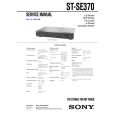 $4.99 STSE370 SONY
Service Manual Complete service manual in digital format (PDF File). Service manuals usually contains circuit diagr…
|
|
|
> |
|










