|
|
|
Categories
|
|
Information
|
|
Featured Product
|
|
|
 |
|
|
There are currently no product reviews.
 ;
Thr Video Recorder i have is quiet Old and the Producer could Not help me. So i w as very glad to find an offer for the owners Manual for a very fair Price.a I obtained the original Manual very quick and I am happy to have it now.
 ;
The PDF copy was immediately available on download after the payment. However, I noticed that the document was in German, and Ihad to contact a German translator to get it translated it to English. The quality of document is legible can be used for my purpose.
;
The manual was complete and of great quality. Originally a tri-lingual file, I first received only one language. After a note to owners-manuals.com, I quickly received the remaining languages... Great service, definitely worth it.
;
Thank you for providing this manual and at low cost.
The Philips scope is of excellent quality, longevity and build and had a couple of faults
when it was passed to me. Having the CCT diagrams is a blessing.
I have fixed the problems and also modded the scope to my requirements.
I have built a 24v Li-Ion pack for portable use from old but good laptop batts.
it is working beautifully and I am well pleased. Keep up the good work Guys.
;
manual was very helpful in learning how to propery use my washer. I could not find this manual anywhere else.
4 6
RDS (2)
2 35
PTY-Suchlauf
1 Mittels dieser Funktion kann ein Sender, der ein PTYSpartenprogramm ausstrahlt, eingestellt werden.
1
1 Betätigen Sie die FM-Taste.
2
2 Betätigen Sie wiederholt die RDS MODE-Taste, bis im Display
die Meldung "PTY" angezeigt wird.
3 Warten Sie bitte einige Sekunden, bis die Displayanzeige
3
nicht mehr blinkt, und halten Sie daraufhin die RDS MODETaste für mindestens 1,5 Sekunden gedrückt. Die Meldung "PTY SEEK" erscheint.
4
4 Wählen Sie bitte die gewünschte PTY-Programmsparte mit
Hilfe der TUNING-Taste aus. Es stehen 31 PTY-Programmsparten zur Verfügung. Die Programmanzeige blinkt.
5
5 Betätigen Sie bitte die MEMORY-Taste.
Die Programmanzeige wechselt von der Blink- auf eine Daueranzeige.
6 Betätigen Sie nun bitte erneut die TUNING-Taste.
6
Der Suchlauf startet. < Wird die gewünschte Programmsparte erfa�t, stoppt der Suchlauf und die zugehörige PTY-Anzeige erscheint. < Wird die gewünschte PTY-Programmsparte nicht gefunden, wird der Suchlauf an der Ausgangsfrequenz gestoppt.
42
DEUTSCH
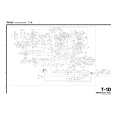 $4.99 T-1D TEAC
Circuit Diagrams Set of circuit diagrams. The diagrams will be provided as PDF file. The file will be delivered after…  $4.99 T-1D TEAC
Service Manual Complete service manual in digital format (PDF File). Service manuals usually contains circuit diagr…
|
|
|
> |
|