|
There are currently no product reviews.
 ;
Excellent quality and quickly delivered manuals at a fair price. Great care is taken in the reproduction process. Even photographs and highly detailed drawings are as clear as in the original. That cannot be said for some freelance manual copies I have obtained from the web. If you have exhausted your internet search of technical manuals, try Owner-Manuals.com. If they do not have it, I do not think it exists. Perhaps, if requested, they may be able to find it. Their resources are certainly greater than most. Shopping here certainly beats waiting for months or years for the manual you seek to appear in an internet auction or garage sale.
;
Very detailed product, also it is a scanning from original, very useful if you have to service this type of amplifier ! Very good product, very hard to find!
;
the Manual was made available as promised, the scans were excellent..Good Work !!!
;
It's complete and helpful manual with good quality of scan. Thanks very much.
;
The service was quick and simple, finding the service manual easy and it appears to be the original with colour schematics. It contained the info I was after and so sorted the problem.
I have copied it to CD and attached the envelope to the inside back cover of the owners manual. Good manual and excelent service. Robin Wood, Wood Electronics, New Zealand.
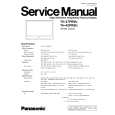
TH-37PR9U / TH-42PR9U
8. Disconnect the coupler(DA5). 9. Remove the Flexible Cable from the couplers(DA2). 10. Remove the 4 screws and then remove the DA-Board Block.
18. Remove the 7 screws ( ) and then remove theSC-Board and the clamper. 19. Remove the 2 screws ( ) and then remove the Plate.
11. Disconnect the couplers(P2, P9, P11, P12, P23, P25). 12. Remove the 6 screws ( ) and then remove the P-Board. 13. Remove the 5 screws ( ) and then remove the AC-Inlet Block and the clamper.
20. Disconnect the couplers(SS23, SS34). 21. Remove the Flexible Cable from the couplers(SS41, SS42, SS43, SS44). 22. Remove the 6 screws ( ) and then remove the SS-Board. 23. Remove the 1 screw ( ) and then remove the Ferrite Core.
14. Disconnect the coupler(D20). 15. Remove the Flexible Cable from the couplers(D31, D32). 16. Remove the 4 screws and then remove the D-Board. 24. Remove the 8 screws ( ) and then remove the Flexible Cable from the couplers(CB1, CB2, CB3, CB4, C12). 25. Remove the 4 screws ( ) and then remove the C1-Board.
17. Remove the SU-Board and the SD-Board. (Reference to Removal of the SU-Board and the SD-Board) 25
|