|
|
|
Categories
|
|
Information
|
|
Featured Product
|
|
|
 |
|
|
There are currently no product reviews.
 ;
I am very happy with the owner's manual. I bought a used Casio and was so relieved that I was able to get a hold of a owner's manual. It was very easy to download the manual and I had no problems with printing it. Thank you! Nancy Whalen
;
The purchased manual is an high-quality scan of the original JVC paper-based Owner´s Manual. I am very satisfied!
;
Very satisfied with received document, all is right, Thank You very much, it was a Pleasure to work with You.
 ;
great site, the most easy and fastest way to find the manual you need, no 5 star because the manual was only available in german, but I speak german as well so no problem for me.
;
thanks for this download i got a pioneer bdp-lx70a blu-ray player and it had no manual i search everywhere on the internet and came across owner-manuals.com and i found that it was so easy to find and downloaded from this site if i ever need a manual again this would be the first place that i would come too thanks guys
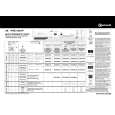
PREPARING THE LAUNDRY 1. Check that all fastenings are closed and that pockets are empty. 2. Turn the articles inside out. 3. Place laundry loosely in the drum to make sure it doesn�t become tangled. Sort laundry as follows: A) By care symbols (on the collar or inside seam): Suitable for tumble drying Tumble drying with reduced drying intensity only. Press gentle button or select specific programme Do not tumble dry B) By amount and thickness/weight Whenever the load to be dried exceeds dryer capacity, separate laundry according to weight (e.g. towels from thin underwear). C) By type of fabrics Cotton/linen: towels, cotton jersey, bed and table linen made of cotton or linen. Synthetics/Easy Care: blouses, shirts, overalls, etc. made of polyester or polyamide, as well as cotton/synthetic mixes. D) By drying level � Sort into: iron dry, cupboard dry, etc. Do not tumble dry: woollens, silk, nylon stockings, delicate embroidery, fabrics with metallic decorations, bulky items such as sleeping bags, etc. Important: only use specific indicated dryer-safe additives and rinse items that have been treated with stain remover thoroughly in plenty of water before drying. Only use specific indicated dryer-safe plastic items and never dry rubber or articles contaminated with vegetable oil in the dryer DRUM LIGHT OPTION
(Option only available when Programme is selected). � Push the button to turn the drum light on for 30 sec. and push again to turn the drum light off.
SELECTING A PROGRAMME & OPTIONS Programme and Options: � To select a programme, turn the programme selector knob to the required position. The Start/Pause indicator lamp is blinking, indicating that the cycle needs to be started. � To select an option, press the corresponding button. The indicator light above the button lights up confirming that the selection has been made. � Press the option button again to cancel the option.
DAILY MAINTENANCE & CLEANING Clean the lint filter at the end of every drying cycle: 1. Open the door. 2. Pull the filter upwards. 3. Open the filter. 4. Remove lint using a soft brush or your fingertips. 5. Close the filter. 6. Push the filter back into place. Empty the water container at the end of every drying cycle. 1. container. Pull the handle to remove the water 2. Empty the water container. 3. Replace the water container when empty by pushing it completely back in place. DRAINAGE SYSTEM The 6 kg cotton programmes are made for matching a 6 kg washed load of cotton spun at more than 1000 rpm. With a 6 kg load spun at lower speed than 1000 rpm, we recommend to connect your dryer to an external drainage hose for direct water drainage to avoid water container emptying. TROUBLESHOOTING GUIDE If a fault occurs, before contacting our After-Sales Service, make the following checks to try and remedy the problem: Drying takes too long / laundry is not dry enough: � Was the correct programme selected? � Was the inserted laundry too wet? � � Is the lint filter dirty (filter indicator lamp on)?
Is the door properly closed? Has the programme been selected? Has the start-delay option been selected? � Has the Start/Pause button been pressed? Lint filter or water container indicator lamp on: � � � Is the lint filter clean? Is the water container empty? Is the water container correctly positioned?
� � �
� Is the heat exchanger clean? Water droplets underneath the dryer: � Is the heat exchanger correctly positioned? � Has any fluff on the heat exchanger seal been wiped away? � Has any fluff on the door seal been wiped away? � Has the water container been positioned correctly? All programme sequence indicators blinking: � Service call necessary. Replacing the drum light bulb (if supplied):
� � � � � If the inside lamp does not work, the bulb may be faulty. Unplug the dryer. Open the door and unscrew the glass cover insie the drum. Replace the faulty bulb with a new one and screw the glass cover back on. Replacement bulb: Philips 15W, 230/240V, E14.
STARTING & COMPLETING A PROGRAMME 1. Having selected the desired programme and options, press the Start/Pause button. If the laundry is not removed at the end of the drying cycle, an automatic anti-crease cycle will operate for maximum 60 min. The drum rotates at regular intervals, preventing the laundry from creasing. Anti-Crease protection redistributes laundry in the drum. When the Anti-Crease option is selected and laundry has not been taken out, an anti-crease cycle is activated for 12 hrs. 2. On completion of the programme, set the programme selector knob to position �0�. CHANGING A PROGRAMME When changing the programme during the drying cycle, the dryer stops. The Start/ Pause indicator lamp is blinking. To operate the new programme, press the Start/Pause button. INTERRUPTING A PROGRAMME To interrupt the dryer during operation 1. Set the programme selector knob to Airing. 2. Press the Start/Pause button. Wait at least 5 minutes before opening the door to allow the dryer to cool down. For your safety the programme stops automatically if you open the door. 3. To restart, after door opening, close the door and press the Start/Pause button again.
AFTER-SALES SERVICE If, after carrying out the above checks the malfunction persists or appears again, turn the dryer off and call our After-Sales Service (refer to guarantee). Please specify: � The nature of the fault. � The dryer type and model. � The service code (the number after the word Service on the adhesive rating plate) on the right-hand side when the door is open. � Your full address and phone number.
Is the heat exchanger dirty (refer to the Instructions for use)? � Are the END and Anti-crease indicator lamps lighting up? The drying cycle is complete and the laundry can be taken out. � Is the ambient temperature too high? The dryer does not operate: (after a power failure and/or interruption to the mains supply, always press the Start/Pause button). � Is the plug properly inserted into the mains electricity socket? � � Is there a power failure? Has the fuse blown?
5019 407 00526
|
|
|
> |
|