|
|
|
Categories
|
|
Information
|
|
Featured Product
|
|
|
 |
|
|
There are currently no product reviews.
 ;
Great product, helped me to restore vintage walkman cassette.
Just some pictures could be little bit more sharp and contrast
Thank you
;
I love older radio's and the service manuals that are sometimes hard to find. Was able to find a manual quite easily on this site.
;
Thank you for your shop manual! Your help was very useful - the device is repaired! Once again - Thank you! I wish you a successful business! Edward (Russia).
;
It was a great experience,instead of purchasing a new Stereo Amplifier ,in just minutes i repaired my old one and that was thaks to the manual I have purchased from you.
Thanks again.
Samuel Alter
;
Das ging ja sehr unkompliziert hat bestens geklappt und die Quallität ist auch noch gut.
Vielen Dank dafür.
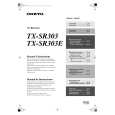
TX-SR303/303E OPERATION CHECK-1
SPEAKER PROTECT-1 (DC VOLTAGE DETECTION)
[When] 1. Exchange power transistors (Q6050 - Q6064). 2. Exchange amplifier PC board ass'y (NAAF-8523). [Procedure] <Note> No load. No input. 1. Press and the hold down the CD button , then press the STANDBY/ON button when the unit is Power ON. "Test - _" is displays it only for 5 seconds.
Te st - _
Blinks
2. Press the VIDEO 3 button, while the character of "Test - _" is displayed. Unit will be in the state of " Test-4-00 ".
Te st - 4-00
3. Repeatedly press TONE+ button until the character of " Test-4-21 " is displayed.
Te st - 4-21
Checking the operation starts automatically as follows.
Te st - 4-21
------- Front L ch Check
P rotect OK Te st - 4-22
------- Front R ch Check
P r otect OK Te st - 4-23
------- Center ch Check
P r otect OK Te st - 4-24
------- Surround L ch Check
P r otect OK Te st - 4-25
------- Surround R ch Check
P rotect OK P rotect
If all channel are OK, the character of " Test - 4 - 35 " is displayed.
Te st - 4-35
4. Press the STANDBY/ON button.
Turn off
Clear
|
|
|
> |
|