|
|
|
Categories
|
|
Information
|
|
Featured Product
|
|
|
 |
|
|
There are currently no product reviews.
 ;
very good manual as always. easy to read, detailed and includes schematic
;
I'm very satisfied with your manual service. Your website made it easy to locate the correct manual. Also the quality is great and I never had a problem reading the fine details.
Thanks again.
Jeff Miller
JM Electronics
 ;
Good quality service manual German user manual. German user manual This is a quality scan of a manual in excellent condition and is just as good as having the original manual in hand
;
The manual for Sony LBT-D505 component stereo system is was excellent , with schematics, parts layout and parts list as well as instructions for adjustments for each component. Print was clear even when enlarged.
;
It's exactly a complete and very useful manual with all details what I needed. Thank you!I will come back whenever I need your manuals or schematics.
ENGLISH
MAINTENANCE
To extend the lifetime of the unit
This unit requires very little attention, but you will be able to extend the life of the unit if you follow the instructions below.
To clean the heads
� Clean the heads after every 10 hours of use using a wet-type head cleaning tape (available at an audio store). When the head becomes dirty, you may realize the following symptoms: � Sound quality is reduced. � Sound level decreases. � Sound drops out. � Do not play dirty or dusty tapes. � Do not touch the highly-polished head with any metallic or magnetic tools.
To keep the tape clean
� Always store the tapes to their storage cases after use. � Do not store tapes in the following places: � Subject to direct sunlight � With high humidity � At extremely hot temperatures
CAUTIONS: � Do not play the tapes with peeling labels; otherwise, they can damage the unit. � Tighten tapes to remove slack since loose tape may become entangled with the mechanism. � Do not leave a cassette in the cassette compartment after use, as the tape may become slack.
How to reset your unit
Press and hold both the SEL (Select) and (Standby/On/ATT) buttons at the same time for several seconds. This will reset the built-in microcomputer. NOTE: Your preset adjustments � such as preset channels or sound adjustments � will also be erased.
(Standby/On/ATT) SEL (Select)
18
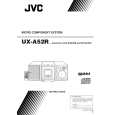 $4.99 UX-A52R JVC
Owner's Manual Complete owner's manual in digital format. The manual will be available for download as PDF file aft…
|
|
|
> |
|