|
There are currently no product reviews.
 ;
Found website easy to use and manual very clear. First class service
 ;
The quality is quite good and clear. Nothing of the informations inside is lost during the digitalizing process
;
Very good service, fast downloads and good manuals.
;
Good qulity. Even as it is an old manual (from 1991-1992) it has a good scanned quality and is complete, including user's manual, disassembly intructions, diagrams and schematics, ajustments, troubleshooting and parts list, as usual with SONY manuals and Owner-manuals service.
;
tres bon document
cela a permis de verifier la connection de l'ecran
merci
salutations
3.3.4 Removing the motor board (See Fig.10 , 11) � Prior to performing the following procedure, remove the servo control board. (1) Turn over the body and remove the two screws D. Move the CD module bkt. in the direction of the arrow to release two joints f. (2) Unsolder the four soldered parts on the motor of the motor board. Caution: If removing the motor board with the motor, you should remove the screws attaching the motor from top of the body(Refer to another section). (3) Remove the two screws E attaching the motor board. (4) Remove the spacer fixing the motor board and tray switch board, and disconnect connector CN2 on the motor board. (5) Disconnect the card wire from connector CN1 on the motor board. Caution: When reconnecting the card wire, let the card wire through the slot g of the motor board and attach it to the bottom of the body using a double tape.
f
f
CD Module braket
D
D
Fig.10
Spacer Soldering point CN2
E
E
Motor
CN1
Double face tape
g
Card wire
Fig.11
1-22 (No.MB013)
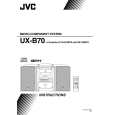 $4.99 UX-B70 JVC
Owner's Manual Complete owner's manual in digital format. The manual will be available for download as PDF file aft…
|