|
|
|
Categories
|
|
Information
|
|
Featured Product
|
|
|
 |
|
|
There are currently no product reviews.
 ;
Thank´s for your help, I already recived these manual from you
;
Thank you for your manual It has the basic things to and i use the Oszi for Longer Time.
THX
;
Actually, I was looking for this information for 3 years!...now thanks to you, the manual is on my hands and of great help, cause I understand now where I was doing wrong connections and wires...excellent, I'll be back to you if in need, thank you.
 ;
This manual covers the main equipment features only. While it also includes the procedure for saving and loading from the now long obsolete memory cards it does not mention the how to operate with the optional floppy drive interface so I am still at a loss about how to use this! Note that there is a separate manual covering the MIDI interface and programming via the keyboard, not included in this download. You will also need to get hold of this if you want to use the MIDI interface properly. Basically there is little difference between this manual and the free to download manual for the similar PR60 model.
;
Good list of manuals. I found a very rare one and easily get. Should be promptly to download, as we must to wait hours even after confirmed payment.
Stromkabel anschlie�en
Stromkabel anschlie�en
Schlie�en Sie das Stromkabel an eine geerdete Steckdose mit 220 - 230 V Wechselstrom, 50 Hz, an.
Druckpatrone einsetzen
Druckpatronenkapazität SHARP UX-C80B-Ersatzpatrone Tintensparmodus AUS:
� Die Stromsteckdose sollte sich in der
Nähe des Geräts befinden und leicht zugänglich sein. Achtung! Entfernen Sie vor dem Anschlie�en des Stromkabels alle Transportsicherungen (siehe Seite 8), da andernfalls das Gerät beschädigt werden könnte.
ca. 480 A4-Seiten
Tintensparmodus EIN:
ca. 800 A4-Seiten
(Die erste Patrone hat dieselbe Kapazität wie die obige Ersatzpatrone.)
� Der Tintensparmodus ist anfänglich
ausgeschaltet. Zum Einschalten des Tintensparmodus, siehe Seite 49 und 53. Achtung! �ffnen Sie die Abdeckung nicht während das Gerät druckt. Hinweis: Nehmen Sie Druckpatronen erst unmittelbar vor dem Einsetzen in das Gerät aus der Verpackung. Verwenden Sie möglichst keine Patronen, die längere Zeit nach dem �ffnen der Verpackung unbenutzt geblieben sind, da sich die Druckqualität sonst erheblich verschlechtern könnte.
In der Anzeige erscheint [PATRONE PR�FEN], bis die Druckpatrone eingesetzt ist.
� Vergewissern Sie sich, dass das
Stromkabel des Geräts angeschlossen und dass Papier in das Papierfach eingelegt ist.
� Es wird empfohlen, einen
�berspannungsschutz der Strom- und Telefonleitungen zu installieren. Ein �berspannungsschutz ist in den meisten Telefonfachgeschäften erhältlich.
1 �ffnen Sie die Abdeckung (halten
Sie sie am Griff fest).
10
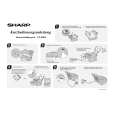 $4.99 UX-B800DE SHARP
Quick Start Quick start guide ( sometimes called quick guide ) contains most important information on how to use…
|
|
|
> |
|