|
There are currently no product reviews.
 ;
Complete manual as pdf-file in very good quality. Very helpful and fast availability.
 ;
Complete service manual in very good scanning quality with all schematic and PWB graphics as well as assembly & maintenance instructions. A slight drawback is that the rastering of the PWB graphics sometimes makes it a bit difficult to follow fine traces, but no showstopper.
;
Purchased the manual that I was looking for at a great price and could download it easily.. Great service experience and for future purchases I plan to use the site. Thank you very much
;
Service manual in good quality, it was very helpful to me. Perfect service, I am very satisfied.
Jochen Kelm
;
Exellent manual ,it was in great condition,and got all the info i expected,5 stars!!
3.1.9 Removing the display board / switch board (See Fig.18 to 20) � Prior to performing the following procedure, remove the front panel assembly. (1) Pull out the VOLUME knob on the front panel. (2) Remove the six screws M attaching the switch board. Then, open the switch board in the direction of arrow, and remove the operation button. (3) Remove the ten screws N attaching the Display board and the two screws P of the LCD holder.
Display board
N
N
Front panel assembly
Switch board
VOLUME knob
N P
Fig.20
Fig.18
M
M
Switch board Fig.19
(No.MB130)1-15
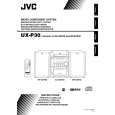 $4.99 UX-P30 JVC
Owner's Manual Complete owner's manual in digital format. The manual will be available for download as PDF file aft…
|