|
|
|
Categories
|
|
Information
|
|
Featured Product
|
|
|
 |
|
|
There are currently no product reviews.
 ;
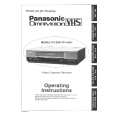
The service manual is a good quality scan of the Blaupunkt RTV-404, which is electrically and mecanically identical to the Panasonic NV-830.
;
completo manual bien detallado y de buena calidad de impresion , se echa en falta los esquemas de placa y parte de algun diagrama.
 ;
perfecto manual ,completo y detallado de muy buena calidad de impresion, ideal en una palabra.
;
un manual completo con una calidad de imagen buena con explicaciones en varios idiomas de los ajustes y detalles en conjunto un OK.
;
Good copy, clear and has all necessary information. Very happy with the purchase
UX-P710DE
5. Imaging Film
5.1. Checking the pre-loaded sample roll
A sample roll of imaging film has been pre-loaded in the machine. Perform steps 1 to 2 and 5 to 7 of Replacing the imaging film below to check the film and make sure it is taut. � The sample roll of imaging film can print about 20 pages. If [FILM END] appears If [FILM END] appears in the display for longer than 10 seconds, open the machine (see Steps 1 and 2 of Replacing the imaging film below) and check the film. If the film has completely wound onto the front spool, replace the film. Otherwise, perform Steps 5 to 7 of Replacing the imaging film to remove slack. 3) Remove the used roll from the compartment, lifting the left ends of the spools first.
5.2. Replacing the imaging film
Replacement film When replacing the imaging film, use the following imaging film: SHARP UX-31CR (one roll) or SHARP UX-32CR (two rolls) Follow the steps below to replace the imaging film. Note: Before replacing the imaging film, remove any paper from the paper tray and push in the tray extension. 1) Open the operation panel. 4) Insert the new roll of film into the print compartment: a. Fit the right ends of the spools onto the pins.
2) Pull the release and open the print compartment cover. b. Place the left ends so that the shafts of the gears fit into the holders.
Pull green release
1�6
|
|
|
> |
|