|
|
|
Categories
|
|
Information
|
|
Featured Product
|
|
|
 |
|
|
There are currently no product reviews.
 ;
everything was fine - fast, readable, worth the price
;
I'm happy to get a manual from this rare old amp. The pdf is from good qualty.
;
very quick service and manual as described - would happily trade here again!
;
Fast Download,all pages present,an excellent copy.THis enabled to find the origional part numbers and chase them up. The cartridge is proving difficult to find but at least I know the origional part number.Thanks to all.
;
The manual was as described. Complete with parts list and technical information. Fast delivery.
Rear panel
Panel trasero
Panneau arrière
1
2
34
AUX IN
MIXING MIC
MIC LEVEL
DIGITAL OUT OPTICAL
AC IN
CAUTION
PHONES
12V DC IN
5
1 2 3 4 5 6
AUX IN (AUX input) jack Telescopic antenna Headphone jack (PHONES) AC IN (AC input) jack Battery compartment cover DC IN 12 V jack ( )
6
1 Prise d�entrée auxiliaire (AUX IN) 2 Antenne télescopique 3 Prise de casque (PHONES) 4 Prise d�entrée secteur (AC IN) 5 Couvercle du compartiment des piles 6 Prise d�entrée CC 12 V (DC IN) ( )
1 Jack AUX IN (entrada AUX) 2 Antena telescópica 3 Jack del auricular (PHONES) 4 Jack AC IN (entrada AC) 5 Tapa del compartimiento de las pilas 6 Jack DC IN 12 V ( )
REMOTE CONTROL UNIT
Preparation before use
÷ Installing batteries in the remote control unit 1. Remove the battery cover from the back of the remote control unit. 2. Insert two �R6/AA (15F)� size batteries. ÷ Insert the batteries with the ª and · terminals matching the indication inside the battery compartment. 3. Replace the cover. Batteries are not provided with this unit.
UNIDAD DE CONTROL REMOTO
Preparativos antes usarla
÷ Instalación de las pilas en la unidad de control remoto 1. Extraiga la tapa de las pilas de la parte trasera de la unidad de control remoto. 2. Inserte dos pilas de tamaño �R6/AA (15F)�. ÷ Inserte las pilas con los terminales ª y · de acuerdo a la indicación en el interior del compartimiento de las pilas. 3. Recoloque la tapa. No se han suministrado pilas con esta unidad.
BOITIER DE TELECOMMANDE
Préparatifs avant utilisation
÷ Mise en place des piles dans le boîtier de télécommande 1. Retirer le couvercle des piles du dos du boîtier. 2. Introduire deux piles de taille �R6/AA (15F)�. ÷ Introduire les piles en respectant les indications des bornes ª et · dans le compartiment des piles. 3. Remettre en place le couvercle. Les piles ne sont pas fournies avec cet appareil.
Insert the · ends first. Primero inserte el terminal ·. Introduire d�abord la borne ·.
÷ Battery replacement When the remote control operation becomes unstable or the distance from which remote control is possible decreases, replace the batteries.
÷ Reemplazo de las pilas Cuando el funcionamiento del controlador remoto se vuelve inestable o la distancia dentro de la cual actúa se reduce, reemplace las pilas.
÷ Remplacement des piles Si le fonctionnement de la télécommande devient instable ou si la distance de fonctionnement devient plus courte, remplacer les piles.
13
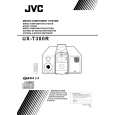 $4.99 UX-T300R JVC
Owner's Manual Complete owner's manual in digital format. The manual will be available for download as PDF file aft…
|
|
|
> |
|