|
|
|
Categories
|
|
Information
|
|
Featured Product
|
|
|
 |
|
|
There are currently no product reviews.
 ;
Scan was really good quality, easy to read, download easy
;
very good manual as always. easy to read, detailed and includes schematic
;
I'm very satisfied with your manual service. Your website made it easy to locate the correct manual. Also the quality is great and I never had a problem reading the fine details.
Thanks again.
Jeff Miller
JM Electronics
 ;
Good quality service manual German user manual. German user manual This is a quality scan of a manual in excellent condition and is just as good as having the original manual in hand
;
The manual for Sony LBT-D505 component stereo system is was excellent , with schematics, parts layout and parts list as well as instructions for adjustments for each component. Print was clear even when enlarged.
2-18
F
Vous pouvez sélectionner répétition de lecture, afin que la La recherche s�effectue alors 5 fois plus rapidement qu�en lecture normale cassette soit lue en continu du début à la fin et cela plusieurs fois.
PROG OPTIONS INSTALL
Recherchez une image faisant défiler bande avant ou en arrière Utilisez la répétition de lecture
Reference Information
Cette fonction vous permet de rechercher un passage particulier en faisant défiler la bande avant ou en arrière.
1 Pour démarrer lecture de la bande en mode normal, appuyez sur LECT.
Pendant lecture, appuyez une fois sur la touche AV.RAP. (ou RET.RAP.).
2 Pour retouner en lecture normale, appuyez sur la touche LECT.( � ). 1 Appuyez sur touche MENU de la télécommande. 3 Si vous maintenez touche AV.RAP. (ou RET.RAP.) appuyée, la recherche Résultat : le menu de programmation s�affiche.
BONUS CLOCK LANG
dans le sens de défilement sélectionné.
2 Appuyez sur les touches ¤¤¤¤, ¤¤¤¤ ou ¤¤¤¤¤, ¤¤¤¤¤ pour sélectionner FONCTIONS AVANC�ES l�option FONCTIONS AVANC�ES. s
4 Si vous appuyez de nouveau sur la touche AV.RAP.( ) en mode Recherche Résultat : le menu FONCTIONS AVANC�ES s�affiche. s
BONUS
s�effectue 9 fois plus rapidement qu�en lecture normale. pour retourner à une vitesse de recherche 5 fois plus rapide qu�en lecture normale, relâchez la touche AV.RAP.( pour retourner en lecture normale, ) appuyez sur la touche LECT.( 3 Appuyez sur la touche OK pour sélectionner cette option. ). ��¤¤�� OK FIN: MENU �
image, le magnétoscope passe en mode Avance rapide. 4 Appuyez sur la touche ¤¤¤ou¤¤¤¤ pour séléctioner l�option
EXT.SHOWVIEW :NON 5 Pour ... appuyez sur ou Recherche image, le magnétoscope passe en mode Rembobinage. ¤¤¤¤¤ VEILLE AUTO :NON jusqu�à ce que...
5 De même, si vous appuyez de nouveau sur la touche AV.RAP. en mode R�P�TITION TOTALE.
R�P�TITION TOTALE :NON
6 Si vous appuyez sur la touche (RET.RAP.) ou (AV.RAP.) pendant le répéter lecture de la cassette, OUI s�affiche. rembobinage ou l�avance rapide, le magnétoscope passe en mode 6 Lorsque vous avez fini, appuyez deux fois sur MENU.
Recherche image. ne pas répéter lecture de la cassette, NON s�affiche.
��¤¤¤¤¤¤� FIN: MENU
Recherchez un passage à l�aide des index
Un index est automatiquement apposé sur la bande lors de chaque enregistrement. La fonction recherche permet de faire défiler la bande, avant ou en arriére, 7 8 9 jusqu�à atteindre cet index et de commencer la lecture au début d�un passage SOURCE AJUST. précis. Selon le sens défilement, les index sont numérotes de la façon suivante : 0
� INDEX COMPT./RESTE IM/IM
MENU ENRG. AUTO.
Ség. Séquence Séq.
1 1 2
préc. en cours suiv. etc.
� Votre magnétoscope utilise un systéme d�index standard (VISS). Il reconnaît donc tout
index apposé par d�autres magnétoscope à l�aide du même systéme et vice versa. LECT.
Balayage d�index (Intro Scan) :
INDEX : � � 2 Appuyez RET.RAP. ( rechercher vers l�arrière ou sur AV.RAP.( ) pour
1 Pour rechercher un index précis, appuyez sur la touche INDEX.
q s
rechercher vers l�avant.
3 Lorsqu�un index est trouvé, le magnétoscope lit la cassetta pendant 5 secondes puis
recherche l�index suivant.
4 Pour lire la cassette partir d�un index particlier, sélectionnez ce dernier à l�aide de
touche LECT.
Fonction de saut d�index : Cette fonction vous permet d�avancer rapidement ou de rembobiner pour atteindre un point précis de la cassette. Par exemple, si vous avez effectué trois enregistrements et que avez entièrement rembobiné la cassette, cette fonction vous permet d�aller directement au début l�enregistrement 2 à l�aide de la touche INDEX. RECH. PAR SAUT INDEX: � +01
1 Appuyez sur touche INDEX pour commencer la recherche. 2 Appuyez deux fois (ou plus selon le cas) sur les touches RET.RAP. ( q ) ou
3 Ces recherches d�index peuvent être effectuées vers l�avant avec la touche s ou
AV.RAP.( ) vous êtes ainsi directement au début de l�enregistrement souhaité.
s
vers l�arrière avec la touche .
4 Pour annuler, une recherche d�index appuyez sur la touche LECT. ou ARRET.
q
39 40
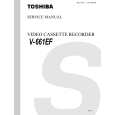
Toshiba
|
|
|
> |
|