Shopping cart is empty
 
English Polski Spanish 
Search For a Manual
 

(e.g. AA-V20EG JVC, ZX-7 Sony )
PayPal 1000+ rating Secure, Encrypted Checkout.
 
Categories
Information
Featured Product
Home >> NIKON >> VAA59214 Service Manual
 
 0 item(s) in your cart 

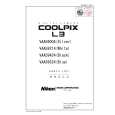
NIKON VAA59214
Service Manual


Tweet about this product and get $1.00 of store credit for instant use!
  • Contains Circuit Diagrams
  • Download
  • PDF Format
  • Complete manual
  • Language: English
Price: $4.99

Description of NIKON VAA59214 Service Manual

Complete service manual in digital format (PDF File). Service manuals usually contains circuit diagrams, printed circuit boards, repair tips, wiring diagrams, block diagrams and parts list. Service Manual ( sometimes called Repair Manual ) is used mainly by technicians.

If You just want to know how to use Your tv, video, mp3 player etc. You should look for Owner's Manual. After placing order we'll send You download instructions on Your email address.

The manual is available in languages: English

Not yet ready
You must purchase it first

Customer Reviews
There are currently no product reviews.
Other Reviews
 KRA5010 KENWOOD Service Manual by Emmanuel Codden;
Really good and well scanned. File is complete the full service manual for 5$
 TV4136VT ICE Service Manual by qwehdgjnf qwefjnhfjh;
Good product and very helpfull to repair. Many thanks.
 MSW560 HITACHI Service Manual by qwehdgjnf qwefjnhfjh;
Very good product. Best service manual. Many thanks
 SU-2600 PANASONIC Service Manual by Gottfried Oster;
I am only search for 5 Minute, by it in 5 Minutes to and get ist in few ours! Best i found in the Internet and my Amplifer is repaired as well! Thank you
 AS-970 AKAI Service Manual by shane smith;
Readable text and good copy. Very much needed if you wish to do some repairs on this fine old unit.

Text excerpt from page 28 (click to view)
VAA59004-R.3687.A
Making of the lens barrel drive tool � Perform disassembly to D5 in the repair manual. � Remove the monitor holder and �x the monitor as shown in Fig. 1.

To prevent the LCD monitor from contacting with the main PCB, process the cardboard and adhere it with the insulation tape.

Fig.1

� Charging starts when the power is ON. So, be sure to cover the solders of the SB wires and the condenser terminal with the insulation tape.

�Set the FPC of the lens unit, which is to be inspected, to the connector.

� Check the lens barrel operation by the W-T button. � Check the barrier operation by turning on/off the power. � Set the zoom position to the "T" side and release the shutter, then check the shutter operation.

- A5 ï½¥ L3 -

You might also want to buy

$4.99

VAA59214 NIKON
Parts Catalog

Parts Catalog only. It's available in PDF format. Useful, if Your equipment is broken and You need t…
>
Parse Time: 0.511 - Number of Queries: 101 - Query Time: 0.188