|
|
|
Categories
|
|
Information
|
|
Featured Product
|
|
|
 |
|
|
There are currently no product reviews.
 ;
Perfect. Very good service and very good scanning quality. All sheets are very legible. Thank's
;
My first manual from Owner-Manuals.com but not the last! I am very satisfied with the easy ordering and promt delivery of a manual I did not find anywhere else.
 ;
This manual is very helpfull to use the Power Supply. All technical information has been available.
For service use the circuit diagrams are very good.
Thanks .
;
Very comprehensive document which is a must-have for any Satellit 2100 owner whose set up is somewhat intricate. Due to the bad quality of the pictures that are rather dark and a bit blurred I gave 4-star feedback.
;
The manual was missing 2 pages but when I presented the problem to the company they made every attempt to get the 2 pages to me, when they couldn't they refunded my money. A very pleasing and easy transaction. The manual they provided was the original, it was concise and to the point. I plan to do business with this company again when should the need arise.
VoicePrism User Manual
Utility: Audio, Footswitch
AUDIO
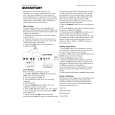
The AUDIO menu allows you to set the following overall audio processing parameters: (Min, 1-9, Max): this raises and lowers the frequency threshold at which an �ess� sound is passed dry or harmonized. At high settings, �ess� sounds will be pitch shifted, potentially causing a grainy �ess� sound but also yielding superior pitch tracking. At low settings, your �ess�es� will sound natural, but at the risk of tracking errors on some voices. ESS SENSITIVITY is best left at 5 (default) unless you have experience tracking errors. ANTI-FEEDBACK (0 - 100%): tweak this setting to silence unwanted sibilants, especially from vocals. It works by lowering the level of the high frequencies that initially create the �sss� sound. BASS REJECT (0% - 100%): reduces the effect of low frequency leakage into the microphone. Tweak this if your bass player is a little to loud and causing weird triggering effects. TUNING (440HZ) (-64c - +63c): sets the offset from the tuning frequency of 440Hz, or the �A� note just above middle �C� (�C�, for those of you wondering, is 261.63Hz). Use this to change VoicePrism�s 440Hz reference to match a piano that has shifted pitch but is still in tune relative to itself. This feature is also helpful when working with tracks recorded using guitars tuned by ear, rather than by machine, allowing you to match the guitar�s more liberal interpretation of the reference A note.
ESS SENSITIVITY
FOOTSWITCH
You can configure the buttons for a one or three button footswitch by twisting the softknob under the button description. VoicePrism is factory configured for a one button footswitch, the Right button which is initially set to MUT MO and the Left and Middle buttons are set to NONE. If you change from a single button footswitch to a three button footswitch, you can set useful functions to the Left and Middle buttons; if you go back to a one button footswitch, remember to set the Left and Middle buttons back to NONE. Warning: if the Left and Middle buttons are not set to NONE with a one button footswitch, pressing the footswitch button will cause VoicePrism to behave unpredictably. A more detailed description of each setting is shown on the LCD. Configuration choices are: NONE: pressing the footswitch button does nothing. For a one button footswitch the Middle and Left buttons must be set to NONE. MUTE MO : Harmony Mute (Momentary) - activates the harmony voices only while the button is pressed. MUTE LC : Harmony Mute (Latched) - mutes the harmonies until the button is pressed again. BYP MO : Bypass (Momentary) - bypasses VoicePrism while the button is pressed. BYP LC: Bypassed (Latched) - bypasses VoicePrism until the button is pressed again. SONG + : Next Song Step - increments to the next preset defined within a song. SONG - : Previous Song Step - decrements to the previous preset defined within a song PRESET + : Next Preset - increments numerically to the next preset (Preset 25 to Preset 26) PRESET - : Previous Preset - decrements numerically to the previous preset (Preset 26 to Preset 25)
27
|
|
|
> |
|