|
|
|
Categories
|
|
Information
|
|
Featured Product
|
|
|
 |
|
|
There are currently no product reviews.
 ;
Actually, I was looking for this information for 3 years!...now thanks to you, the manual is on my hands and of great help, cause I understand now where I was doing wrong connections and wires...excellent, I'll be back to you if in need, thank you.
 ;
This manual covers the main equipment features only. While it also includes the procedure for saving and loading from the now long obsolete memory cards it does not mention the how to operate with the optional floppy drive interface so I am still at a loss about how to use this! Note that there is a separate manual covering the MIDI interface and programming via the keyboard, not included in this download. You will also need to get hold of this if you want to use the MIDI interface properly. Basically there is little difference between this manual and the free to download manual for the similar PR60 model.
;
Good list of manuals. I found a very rare one and easily get. Should be promptly to download, as we must to wait hours even after confirmed payment.
;
The manual was properly scanned and perfectly readable. The only small problem is that I couldn't use my dear Ctrl + F to find a word I needed.
;
Nothing wrong with the manual or the delivery - came to me the same day I ordered it. But afterwards I realized that I ordered the wrong manual. Probably better with the Quick start - version. So maybe it would be better if we could see a list with inhold for each manual before ordering?
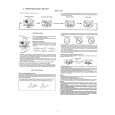
Changing the time and date
If the display shows an incorrect time or �--:--�, the time and date must be set manually. 1 2
MAIN MENU CLOCK AUTO INSTALL MANUAL SEARCH TV CHANNEL ALLOC. RECORD SPEED AUTO STANDBY TV SYSTEM SPECIAL SETTINGS EXITPMENU OK
Press the MENU button on the remote control.The on-screen menu appears Use =P- or ;P+ to select the option �CLOCK� and confirm with OK In the �YEAR� option � if the setting displayed is incorrect - enter the current year with the number buttons 0-9 (or with P and Q)
Enter the values correctly Numbers less than 10 must be entered with an additional �0�.Therefore for �9� you must enter �09�.
3
TIP
4
Use =P- or ;P+ to select the option �MONTH� and - if the setting displayed is incorrect enter the current month with the number buttons 0-9 (or with P and Q) Use =P- or ;P+ to select the option �DATE� and - if the setting displayed is incorrect enter the current calendar date with the number buttons 0-9 (or with P and Q) Use =P- or ;P+ to select the option �TIME� and - if the setting displayed is incorrect enter the current time with the number buttons 0-9 (or with P and Q)
5
CLOCK YEAR MONTH DATE TIME Q2000P 01 01 20:00
6
EXITPMENU
STOREPOK
7
Check the settings displayed for year, month, date and time and store them by pressing OK.The screen will briefly show �STORED� Leave the on-screen menu with the MENU button
The Teletext clock resets automatically If you store a TV channel which has Teletext as programme number P01, the video recorder automatically takes in the date and time from the text function.The change from summer to winter time and vice versa should also occur automatically.
8
TIP
ENGLISH
CHANGING THE TIME AND DATE
16
|
|
|
> |
|