|
|
|
Categories
|
|
Information
|
|
Featured Product
|
|
|
 |
|
|
There are currently no product reviews.
 ;
The manual was made available promptly. I is a clean scan of the original. I had no problem downloading it. The scan was well centered and cleanly formatted. It is as good a product as can be had without being the original document.
 ;
Received downlink in less then 8 hours, Item was in good copy condition, and told me how to program the clock timer. The price was very resonable, and the process was very automated and was GREAT to work with.
;
Fast service, document is OK. Thanks! Searched for it long time.
;
I was very pleased with the manual I got for my amateur (ham) radio. Without it I could not figure out how to input and/or change the P/L setting on my radio. It drove me nuts as the radio was essentially useless. That all changed when my manual came. Then it took only minutes and I was done. Now my radio works fine. This is an exceptionally good resource as it's a very easy and user friendly download. Thank you very much! Dziękujemy za!
;
It answered my question, which was how to load the paper. I did notice that the very end of the manual was not visible.
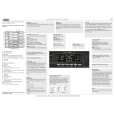
DESCRI��O DOS CONTROLES
Controle Remoto
3 Tecla VCR/TV de seleção do sinal que vai ao televisor
(CONTINUA��O)
1 2 3 4 5 6 7
12
CBL / DBS
VCR/TV
TV
POWER
VCR
EJECT
13 14 15
VOL
SKIP SEARCH
CH
STILL/SLOW
PLAY
/OK
16 17 18 19 20 21 22 23 24 25
STOP
Pressione para selecionar a fonte do sinal (do TV ou do VCR) recebido pelo seu televisor. Pressionando esta tecla liga e desliga o indicador VCR. Quando o indicador VCR estiver aceso: O sintonizador do videocassete fica ativo para o TV. Não se pode selecionar os canais no televisor. Quando o indicador VCR estiver apagado: O sintonizador do TV fica ativo. Para poder ver um outro canal no televisor enquanto grava um canal selecionado com o sintonizador do videocassete. (v ver página 12)
9 Tecla EXIT/STATUS de obtenção de indicação da situação
� Para indicação do contador de tempo, relógio, número do canal, e tempo de fita restante. (v ver página 14) � Para sair das operações com menus quando usar os menus. (v ver página 9)
1 0 Tecla SPEED de velocidade da fita
Selecione a velocidade de gravação SP ou SLP. Durante a reprodução, a velocidade da fita é selecionada automaticamente (SP, LP, SLP). (v ver página 12)
SLOW/BACK
SLOW/ FORWARD
8 9
EXIT/STATUS MENU
+
TIMER
4 Tecla SKIP SEARCH
Salta a reprodução em 30 segundos, contados pelo mostrador de tempo. Se pressionado mais de uma vez, até um máximo de 4, o tempo de busca aumenta em blocos de 30 mintos, até 2 minutos. (v ver página 15)
1 1 Tecla REC/OTR de gravação
� Pressione a tecla uma vez para iniciar a gravação. (v ver página 12) � Inicia a gravação de 30 minutos a 9 horas. Quando pressionar esta tecla mais que uma vez o tempo de gravação é incrementado em intervalos de 30 minutos. (v ver página 13)
QUICK PROGRAMMING
1
START
+ -
2
STOP
+ -
3
DATE
4
DBS
5
DAILY
6
WEEKLY
7
8
9
10
REC
SPEED /OTR
0
INDEX
CLEAR AUDIO/MUTE
11
5 Teclas VOL 5 / � de controle de volume
Somente para alguns televisores Philips. Para mudar o volume de som do TV. Deixe de pressionar canal desejado.
1 2 Tecla TV
Faz com que o controle remoto esteja pronto para operar o televisor. (Somente para alguns televisores Philips)
6 Tecla STILL/SLOW E
� Pára a fita durante a gravação (pausa), ou durante a reprodução (imagem congelada) (v ver páginas 12 e 15). � Pressione-a novamente para retomar a gravação normal. � Pressione-a PLAY 3 para retomar à reprodução. � Pressione por mais de 2 segundos durante uma reprodução para ver imagem em câmera lenta.
1 3 Tecla VCR
Faz com que o controle remoto esteja pronto para operar o VCR. Ejeta a fita. (v ver página 11)
1 4 Tecla EJECT 0 de ejeção 1 5 Teclas CH 5 / � de seleção de canais no videocassete
Na modalidade VCR � Para mudar de canal no VCR. (v ver página 12) Na modalidade TV � Para mudar de canal no TV.
1 Tecla CBL/DBS
Não está disponÃvel para este modelo.
2 Tecla POWER
Antes de usar esta tecla, pressione a tecla VCR ou TV para selecionar a fonte desejada. Depois de pressionar a tecla VCR, pressione novamente para: � Para ligar e desligar o videocassete. � Utilize-a para ajustar o videocassete para gravações temporizadas após realizar os ajustes do timer (v ver página 16). � Depois de pressionar a tecla TV (Somente para alguns televisores Philips), pressione novamente para ligar ou desligar o televisor.
7 Tecla REW 1 / 2 de rebobinagem
� Rebobina a fita em alta velocidade. Durante a reprodução, inicia a busca rápida de imagens na direção inversa (v ver página 12). � Para voltar atrás na função de menu. (v ver página 9)
8 Tecla SLOW/BACK
Ajusta a velocidade de reprodução no sentido reverso durante uma reprodução em câmera lenta. (v ver página 15)
�6�
|
|
|
> |
|