|
|
|
Categories
|
|
Information
|
|
Featured Product
|
|
|
 |
|
|
There are currently no product reviews.
 ;
Print was clear and easy to read. Thank you Joe joeoldaudio
;
Very great deal. In a few minutes a have the manual, that I needed. Thanl you very much
;
Manual was complete. Received it quickly. No problems
;
Product was very good. Received quickly and complete
 ;
The Sony AV-3600 service manual was what I needed for the repair of this unit
Thanks for the good service
Dave
VS-DT7R 2.1.8 Removing the main board (See Figs. 2-10 and 2-11.) � Remove the top lens. [VS-DT9R only] � Remove the bottom panel. � Remove the top panel. � Remove the CD mechanism assembly. � Remove the front panel assembly. � Remove the tuner board. � Remove the speaker board. (1) Disconnect the wire from connector CN192 on the power amplifier board. (2) Disengage the wire clamp bundling the wire of the power transformer. (3) Disconnect the wires from connectors CN181, CN191 and CN194 on the main board. (4) Remove the screw J, which retains the main board, together with the wire holder. (5) Remove the three screws K and screw K' attaching the main board. (6) Remove the two screws L attaching the main board and then remove the rear panel. (7) Take out the main board from the bottom chassis. [Reference]Attaching the main board � When attaching the screw K', attach the earth wire of the main board at the same time. � When attaching the screw J, also attach the wire holder together with it. � After connecting the wires to the connectors CN192 and CN193 on the power amplifier board, bundle them using wire holder. 2.1.9 Removing the power amplifier board (See Fig. 2-12.) � Remove the top lens. [VS-DT9R only] � Remove the bottom panel. � Remove the top panel. � Remove the CD mechanism assembly. (1) Disconnect the wires from connectors CN192 and CN193 on the power amplifier board. (2) Remove the two screws M attaching the fan motor. [Reference] � It is not necessary to remove the wire from the fan motor. (3) Remove the two screws N attaching the power amplifier board. (4) Lift the power amplifier board, disengage the hook e from the heat sink of the main board and take out the power amplifier board. Fig.2-12
Fig.2-10
Fig.2-11
9
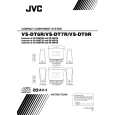 $4.99 VS-DT7R JVC
Owner's Manual Complete owner's manual in digital format. The manual will be available for download as PDF file aft…
|
|
|
> |
|










