|
There are currently no product reviews.
 ;
Outstanding quality manual. This is the exact documentation I needed to service my AKAI GX-210D. This is a PERFECT COPY of the service manual for my machine. Outstanding service. Thank-you!
;
This service manual have great value... Recommended A+++++++
;
This service manual have great value... Recommended A+++++++
;
This service manual have great value... Recommended A+++++++
;
This service manual have great value... Recommended A+++++++
Press 0. Tape play stops, the control panel opens, then the cassette automatically ejects from the cassette compartment. If you change the source to FM, AM or CD changer, the tape play also stops (without ejecting the cassette this time). � You can also eject the cassette with the unit turned off.
To fast-forward and rewind a tape
� Press ¢ for more than 1 second to fast-forward the tape. When the tape reaches its end, the tape is reversed and playback starts from the beginning of the other side.
� Press 4 for more than 1 second to rewind the tape. When the tape reaches its end, playback of the same side starts. To stop fast forward and rewind at any position on the tape, press TAPE 2 3 . Tape play starts from that position on the tape.
11
ENGLISH
To stop play and eject the cassette
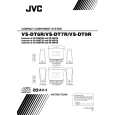 $4.99 VS-DT9R JVC
Owner's Manual Complete owner's manual in digital format. The manual will be available for download as PDF file aft…
|