|
|
|
Categories
|
|
Information
|
|
Featured Product
|
|
|
 |
|
|
There are currently no product reviews.
 ;
The manual was a perfect match and was exactly what I was looking for. I'm very satisfied with my purchase.
;
Thank you for having the manual I needed for an older model Aiwa stero I had found on Ebay --- I wanted the Aiwa because I had tapes and cd's but I did not have a manual as to how to operate the system... I found what I needed and it has enabled me to set the system up for my enjoyment.
;
I wished detailed information of the JBL S310 and here I found it! Very happy with the service from this site!
;
The manual was very helpfull, it answerdes all my questions, and i was surprized to find the original manual on this site! Big thumbs uP:)
 ;
helpful manual.good service.Quick response.will use again
40105136bGB.fm Page 14 Tuesday, July 26, 2005 6:03 PM
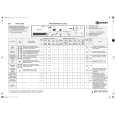
TROUBLESHOOTING GUIDE
Depending on the model, your washing machine is equipped with various automatic safety functions. This enables failures to be detected in good time and the safety system can react appropriately. These failures are frequently so minor that they can be removed within a few minutes. The appliance will not start, no lamp lights up. Check whether: � the mains plug is inserted into the socket � the wall socket is functioning correctly (use a table lamp or similar to test) the washing machine will not start... (varies according to model)... and the �Start/Pause� light flashes. Check whether: � the appliance door is properly closed (child safety); � The �Start/Pause� button has been pressed In the case of washing machine with LCD this notice appears: � The �On/Off� button has been pressed and the light is on � The washing machine safety system has been activated (see �Failure Indicators� table) Detergent and additive product residues in dispenser at end of wash. Check whether: � the siphon is correctly installed and cleaned (see �Care And Maintenance�) � sufficient water is entering. The mesh filters in the water connection could be blocked (see �Care And Maintenance�) � When using powder detergent beforehand the coloured insert for dosing liquid detergent has been removed from the dispenser The washing machine vibrates during the spin cycle. Check whether: � The washing machine is level and standing firmly on all four feet � The transport bolts have been removed. Before using the washing machine, it is imperative that the transport bolts are removed Final spin results are poor. The washing machine has an unbalance detection and correction system. If individual heavy items are loaded (a bathmat, bathrobe), this system may reduce the spin speed automatically or even interrupt the spin completely if it detects too great an imbalance even after several spin starts, in order to protect the washing machine. For washing machines with LCD Display the following notice appears if an imbalance occurs:
...and the �Start/Pause� light goes on (for models with a digital display a dash appears here).
Check whether: � a programme has been selected ...and the �On/Off� lamp goes on. Check whether: � the appliance door is properly closed (child safety) � the tap is turned on (see also �Failure in the water supply/safety hose�) � a programme has been selected The washing machine stops during the programme (varies depending on model). Check whether: � The �Rinse Hold� light flashes, or. the �Rinse Hold� button has been pressed; end this additional option by pressing the button For washing machines with an LCD Display: the �Rinse Hold� function has been preselected and the �Rinse Hold� symbol appears in the display; end this additional option by pressing the � � button or end the �Drain� programme � Another programme has been selected and the �Start/Pause� button is flashing. Reselect the desired programme and press the �Start/Pause� button � The door has been opened and the �Start/Pause� light is flashing. Close the door and press the �Start/ Pause� button again. For washing machines with LCD this notice appears: �PAUSE!� 14
� If the laundry is still too wet at the end of the cycle, add smaller articles of laundry and repeat the spin cycle � Excessive foam formation may prevent spinning. Observe correct detergent doses In this case, for washing machines with LCD this notice appears in the display:
� Check whether spin speed �0� was selected
Black process 45.0° 100.0 LPI
|
|
|
> |
|