|
|
|
Categories
|
|
Information
|
|
Featured Product
|
|
|
 |
|
|
There are currently no product reviews.
 ;
The purchased manual is an high-quality scan of the original JVC paper-based Owner´s Manual. I am very satisfied!
;
Very satisfied with received document, all is right, Thank You very much, it was a Pleasure to work with You.
 ;
great site, the most easy and fastest way to find the manual you need, no 5 star because the manual was only available in german, but I speak german as well so no problem for me.
;
thanks for this download i got a pioneer bdp-lx70a blu-ray player and it had no manual i search everywhere on the internet and came across owner-manuals.com and i found that it was so easy to find and downloaded from this site if i ever need a manual again this would be the first place that i would come too thanks guys
;
Superb! It's the original manual. We can now use our old calculator with its full function.
Start Delay (depending on model)
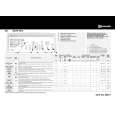
The �Start Delay� is an option which delays the start of the programme at the consumer�s convenience and enables the use of off-peak electricity (for example late at night). Select programme, temperature and options. � Press the �Start Delay� button to select the delay time of 1 to 19 hours
� Press the �Start/Pause� button. The indicator light of the �Start/Pause� button lights up and the lamp of the �Start Delay� button flashes. � The time delay indication disappears when the programme starts and is replaced by the remaining time � The number of hours preselected can be reduced later by pressing the �Start Delay� button again After starting the programme, the sequence indication signals the Wash, Rinse and Spin phases.
To cancel the �Start Delay�.
� Turn the programme selector to the � � position � Reselect the desired programme and options and press the �Start/Pause� button
Programme start
Turn on the tap and press the �Start/Pause� button. The indicator light of the �Start/ Pause� button lights up.
Note: If there is a power interruption or if the appliance is disconnected during the cycle, the programme will start again at the point where it was interrupted.
Lid lock
For reasons of safety, the lid is locked during certain phases of the cycle.
At the end of the cycle or during an interruption, the lid unlocks automatically after about 1 minute. 1. Turn the programme selector to the � � position. 2. Turn off the tap. 3. Open the lid and drum flaps and unload the machine.
Programme end
� The remaining time indicator shows �0:00� and all the lights of the programme sequence indication are off
Change the programme or options during the cycle
1. Select the new programme with the programme selector. If necessary, select the additional options and the spin speed. The indicator lamp of the �Start/Pause� button flashes.
Note: the �Start Delay� and �Prewash� options cannot be selected after a change of programme.
2. Press the �Start/Pause� button. The newly selected programme will start at the washing position where the previous programme was interrupted. Note: do not add detergent for the new programme.
Programme interruption/ pause
If, for any reason, you want to interrupt the programme for a certain time and continue it later:
1. Press the �Start/Pause� button. The pilot lamp flashes. 2. After the desired pause, press the �Start/Pause� button again. 1. Put the programme selector on �Drain�. 2. Press the �Start/Pause� button to start the �Drain� programme.
Cancel programme
If the current programme has to be terminated prematurely and cancelled, proceed as follows:
27
|
|
|
> |
|