|
|
|
Categories
|
|
Information
|
|
Featured Product
|
|
|
 |
|
|
There are currently no product reviews.
 ;
This manual is immaculate in it's accuracy. Everything is written very clearly and easy to understand. Written by a professional who wants to convey a clear and easy to understand message!!
;
This Manual (as downloaded) is both informative and comprehensive and has proved to be extremely useful. thoroughly recommended.
;
everything is ok, thank you very much! Product is good, no problems with download!
;
Great site, I always find all the manuals I need and i can't find anywhere else. PDF for the Sony PCM 3348 is complete and scan is good quality. Thank you!
;
It was a complete manual as stated. Very good source for older product manuals. Thanks
Using the Setup Menu
4. Use the [
] and [ ] keys to move the highlighting to the main menu item you want.
The sub-menu for the currently selected main menu item will appear to the right.
5. Press
the [ ] key or the [ENTER] key.
This will cause the item at the top of the currently displayed sub-menu to become highlighted, indicating that it is selected.
6. Select the sub-menu item whose setting
you want to change.
Use the [ ] and [ ] keys to move the highlighting to the sub-menu item you want.
Configuring Advanced Settings 1 and Advanced Settings 2
The �Advanced Settings 1� and �Advanced Settings 2� sub-menus on the �Detailed Settings� main menu provide access to further sub-menus for configuring various advanced settings. Use the following steps to select items on the advanced settings sub-menus. (1) Use the [ ] and [ ] keys to move the highlighting to �Advanced Settings 1� or �Advanced Settings 2�. (2) Press the [ENTER] key. This closes the main menu and switches to one of the special sub-menus shown below.
Advanced Settings 1 Sub-menu
Advanced Settings 2 Sub-menu
(3) Use the [ ] and [ ] keys to move the highlighting to the sub-menu item you want.
20
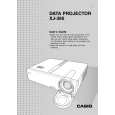 $4.99 XJ-360 CASIO
User Guide It's a complete guide ( also known as operating manual or owner's manual), and it's in PDF format. A…
|
|
|
> |
|