|
|
|
Categories
|
|
Information
|
|
Featured Product
|
|
|
 |
|
|
There are currently no product reviews.
 ;
I recently purchased a manual for a Samsung DLP tv to help with a trouble shooting problem I was having. Every tv repair shop wanted close to $400.00 for the fix, but after I found Owner-Manuals.com I hit pay dirt. The manual they had for me to purchase and download was a complete service manual for the exact tv I needed. It was complete with wiring diagrams, schematics, and even part numbers. If your the fix it yourself type I highly recommend trying to find any manual here before paying someone else to fix whatever problem your having.
;
Once again, excellent price and manual delivered in a timely manner and as advertised!
;
Outstanding quality manual. This is the exact documentation I needed to service my AKAI GX-210D. This is a PERFECT COPY of the service manual for my machine. Outstanding service. Thank-you!
;
This service manual have great value... Recommended A+++++++
;
This service manual have great value... Recommended A+++++++
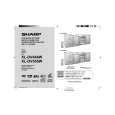
XL-DV484W
[2] TEST MODE
1. TEST Mode Functions
1.1. Entering the TEST Mode
While holding down both the button and the X-Bass button ofthe main unit from the power-off state, press the ON/STAND-BY button toenter the Test Menu Mode.
3. DVD TEST Mode
3.1. Outline
� � � � � To send key codes of the TEST Mode 1 to the DVD unit to start the TEST Mode. Thereafter the system�s microcomputer only sends key codes to the DVD unit. The main unit operation is started in the same way as the normal startup of the DVD/CD Function. Only monitor (video) output is normally controlled. �MUTE ON� remained. During this TEST Mode, �DVD TEST� is shown on the FL display and change to �DVD****�. (****:DVD Version) (Display is shown by OSD. Main unit display not available.)
1.2. Test mode processing
When entering the TEST Mode, the ROM version are displayed as follows Version on the FL display: �UD. ****� (****: Version No.)
1.3. TEST Mode Button
Press direct designation button during the version display to enter the specified TEST Modes as shown below. No. 1 2 3 TEST Mode SHIPPING TEST DVD TEST DVD DISPLAY TEST Direct Designation Button OPEN/CLOSE DVD/CD DISC2
3.2. TEST Mode Operation
1. The TEST Mode is started in the same way as the normal startup of the DVD/CD Function. Then the DVD unit is normally started. During the TEST Mode, �DVD****� is continuously displayed.
1.4. Canceling TEST Mode
1. Press the ON/STAND-BY button in each TEST Mode to display �CLEAR AL� except SHIPPING TEST. Then reset and start. (Clear RAM.) 2. It is neccessary to plug,off the A/C cord after �FINISHED� is displayed on the FL for SHIPPING TEST.
2. Shipping TEST Mode
2.1. Outline
� � ID command for initialization is sent to the DVD unit and EEPROM in the unit is initialized. System micro computrer and DVD changer is initialized.
2.2. TEST Mode Operation
When entering the Shipping TEST Mode: 1. �WAIT� is displayed on the FL display . 2. �FINISHED� shall be kept displaying after initialization is completed. Manually plug off the A/C cord to get out of the TEST Mode. When initialization is failed, �NIT ERR� remains to be shown on the FL display until plug off the A/C cord.
2.3. Supplementary Note
1. When entering this TEST Mode, it is prohibited to press any key until the above processing is completed.
2�3
|
|
|
> |
|