|
|
|
Categories
|
|
Information
|
|
Featured Product
|
|
|
 |
|
|
There are currently no product reviews.
 ;
Good quality instructions manual. Very useful to me. Quick and excellent service from Owner-Manuals... Thanks !!!
;
Sono molto soddisfatto e, quando mi necessiterà, mi avvarrò nuovamente di questo servizio!
;
A comprehensive Operating and Service Manual. All schematics are complete and easy to read. The PCB drawings and complete parts list are very helpful. I would definitely recommend this manual.
;
SCANNING OF HIGH QUALITY
VERY, VERY HIGH VELOCITY DOWNLOAD
VERY GOOD PRICE,
TRUE SATISFIED, THANKS
;
Genuine Toshiba owner's manual. Couldn't really ask for more. And written in understandable English in contrast to a few recent experiences I have had with manuals for other equipment other than Toshiba but made in China and written in "Chinglish"!
Basic operations
Basic operations
Specifying a desired track in stop mode
To specify the desired track number, use the track buttons (1-10, +10).
Remote control unit
Playing tracks in a order of disc/track number
You can continuously play all the loaded discs, starting from any track on any disc.
1 5 9
2 6 10
3 7
4 8 +10
1 Press the 3 PLAY button on the main unit or
the 3 button on the remote control unit to start playback.
Playback starts from the current disc. The following display appears.
The unit searches for the selected track and playback starts automatically. To specify the track number with the track buttons, see �How to use the track buttons� on page 9.
1 5
2 6
3 7
4
DISC
TRACK
TIME
STEP
123456 7 8 9 10 11 12 13 14 15 16 17 18
Selected disc number
Playback elapsed time Track number being played back
Changing discs during playback (EXCHANGE)
During playback of a disc, you can change other discs in the disc trays without stopping playback. Press the EXCHANGE/DISC SKIP button on the main unit. The carousel opens and you can change the discs inside. The EXCHANGE indicator lights on the display.
Main unit
EXCHANGE/DISC SKIP
2 Use the DISC (1-7) buttons on the main unit
or the remote control unit to select the disc number which contains the first track you want to play.
When you want to play from the first track on the selected disc, it is not necessary to select the track number. In this case, omit the next step.
3 Select the track number with the 4/¢
buttons on the main unit or the remote control unit or the track buttons on the remote control unit.
The selected track number appears on the display and playback starts from the selected track automatically. To select the track number with the track buttons, see �How to use the track buttons� on page 9.
DISC 1 5 2 6 3 7 4 TRACK TIME STEP
To change the discs loaded in the far end of the disc tray, press the EXCHANGE/DISC SKIP button on the main unit or the DISC SKIP button on the remote control unit to make the carousel rotate. After changing the discs, press the 0 OPEN/CLOSE button to close the carousel. Then, the EXCHANGE indicator goes out on the display. It is also possible to change the discs during program playback or random playback, following the above procedure. NOTE
� When the carousel is opened by pressing the EXCHANGE/DISC SKIP button on the main unit, it is not possible to close it by pushing it back with hand. Always press the 0 OPEN/CLOSE button to close the carousel.
6 7 8 9 10 11 12 13 14 15 16 17 18
Track number being played back
10
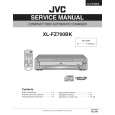 $4.99 XLFZ700 JVC
Service Manual Complete service manual in digital format (PDF File). Service manuals usually contains circuit diagr…
|
|
|
> |
|