|
There are currently no product reviews.
 ;
This service manual helped me to repair my PIONEER. Iam very satisfied, that I found it here.
Even the price of manual was not so high that person would not be able to spend a few money.
But that is very worth spent money. Thanks
 ;
Excellent quality service manual. Quick processing, fair prices. Love to do business again. Thank you!!!
;
Excellent service manual, the only known point of note is the alignment of improvability scanned pages within the pdf page. The resolution is good.
;
I was very glad recieving the service manal from You. Additionaly very fast. Extremaly nice servicing. Thanks very mach! Now my GX-220 working better, than it was made. Alexander from Moscow, Russia/
;
Sweet! I won the item on eBay and couldn't adjust the geometry or even keep a steady picure. This guide has the full schematics (not available anywhere else as far as I could tell), and was a bargain for the wealth of knowledge it contains. I hooked it up to my testing equipment, tweaked a few potentiometers and got it playing videogames in no time. Thanks!
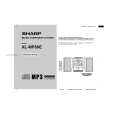
XL-MP80H/MP80E
� Soft reset test All data in RAM is cleared. � VOLUME test Starting from level 23 (default), check all the levels (0 - 23 - MAX). � Tuner aspm test 106.50 MHz FM stereo is set by default. Hold down the �ASPM� button (on the remote control) to start scanning from 105.00 MHz. The unit receives stations and stores them as PS (preset stations). If no station is received, �0MEMORY� appears. � TIMER test Start the timer at 1:00. When it reaches 1:05, turn on the power with the AUX function and turn off the power after about 30 seconds. (In the test mode, fade-in and fade-out are not required.) � ALL KEY test In the test mode, hold down all the buttons on the main unit and then press the �POWER� button. �OK� appears. If only the �POWER� key is pressed, �ERROR� appears.
2�3
|