|
There are currently no product reviews.
 ;
Quick response and exactly what I was looking for and at a great fair price!
;
5 star quality on these downloadable manuals. Easy to read and all the information is there. A must when doing a custom install or needing to service your precious old school electronics.
;
So usefull to make my installation a breeze. 5 stars on quality.
;
very helpful, the information in these manuels are very detailed
;
Please tell us what you think and share your opinions with others. Be sure to focus your comments on the product. You will receive $2.00 of store credit for Your review.
USING ON THE RECHARGEABLE
q
mm BATTERIES
Be sure to use size AA Ni-Cd 1.2 V rechargeable batteries, which are commercially available. q Be sure to read the instructions of the purchased rechargeable batteries before use. q When using on the rechargeable batteries for the first time, charge them until the battery indicator goes out. * Before charging the batteries, close the disc compartment. You cannot charge the batteries while it is opened. 1 2 Insert the rechargeable batteries with the ~ and O marks correctly aligned. Connect the AC adaptor. (3 to DC 6 V jack @to a wall outlet Press 9STOPIOFt=/CHARGE to start charging. C-On is displayed and the battery indicator@ blinks. Recharge the batteries until the battery indicator goes out. After charging, disconnect the AC adaptor.
3
Time to recharge the batteries Recharge the batteries when the E (ied) lights. If the unit remains in use after E (red) lights, Lo batt is displayed and the current operation will stop. To stop charging Press q STOP/OFF/cHARGE
during charging.
USING ON AC HOUSE CURRENT
Connect the supplied AC adaptor in the same way as recharging the batteries. During operation on AC house current, all of the battery indicator lights.
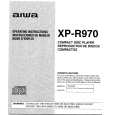 $4.99 XPR970 AIWA
Service Manual Complete service manual in digital format (PDF File). Service manuals usually contains circuit diagr…
|