Shopping cart is empty
 
English Polski Spanish 
Search For a Manual
 

(e.g. AA-V20EG JVC, ZX-7 Sony )
PayPal 1000+ rating Secure, Encrypted Checkout.
 
Categories
Information
Featured Product
Home >> PIONEER >> XR-A370GR/KUCXJ Service Manual
 
 0 item(s) in your cart 

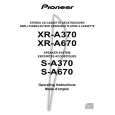
PIONEER XR-A370GR/KUCXJ
Service Manual


Tweet about this product and get $1.00 of store credit for instant use!
  • Contains Circuit Diagrams
  • Download
  • PDF Format
  • Complete manual
  • Language: English
Price: $4.99

Description of PIONEER XR-A370GR/KUCXJ Service Manual

Complete service manual in digital format (PDF File). Service manuals usually contains circuit diagrams, printed circuit boards, repair tips, wiring diagrams, block diagrams and parts list. Service Manual ( sometimes called Repair Manual ) is used mainly by technicians.

If You just want to know how to use Your tv, video, mp3 player etc. You should look for Owner's Manual. After placing order we'll send You download instructions on Your email address.

The manual is available in languages: English

Not yet ready
You must purchase it first

Customer Reviews
There are currently no product reviews.
Other Reviews
 ICF-7800W SONY Service Manual by Philip Biagioli;
The service was great and the document was also great. Highly recommend!!!! If anyone has a users manual... Please email me. need one. $ [email protected]
 CS-5275 KENWOOD Service Manual by Steve Cuthbertson;
I needed a service manual as the display on my oscilloscope was very dim. I thought I'd give owner-manuals.com a try, as they advertised a huge number of manuals. Sure enough they had one listed. I bought it hoping it would be useful... actually, I bought it hoping it would be readable! I've had manuals from online sources in the past, and been very disappointed. Not this time! An excellent manual, complete, and very readable. Using it I fixed my 'scope, and as such the manual was an investment that paid off manyfold. Do I have any complaints? One very minor one - The circuit diagrams could have been scanned at a higher resolution, as some of the details were a little difficult to make out - not impossible, just not as easy as my old eyes would like! Overall, I'm very satisfied with my manual, and I will certainly be using this company again. Well done.
 HSJ09 AIWA Service Manual by Julian D Hartheimer;
I Have looked for this manual for quiet a while now, I have finally found it here. I believe this is the only place they have them in a very nice scan, pages are very clear to read, some of the pages are a bit tilted but overall it is great to have this manual available for purchase. Thanks
 HS-PX10 AIWA Service Manual by Julian D Hartheimer;
This is quiet a rare manual, I Have looked for this manual for quiet a while now, I have finally found it here. I believe this is the only place they have them in a very nice scan, Excellent guide: very clear, enabling us to print readable diagram overall it is great to have this manual available for purchase. This is a complete service manual no pages are missing. Thanks
 HS-J08 AIWA Service Manual by Julian D Hartheimer;
This SM is quiet scarce and hard to find it is an excellent Service manual, very clear to read and to print schematics and diagrams, Hi quality, Complete manual with no pages missing. I am very pleased with the manual and the fast service I have received. Great place to shop. Good luck finding you manual...

Text excerpt from page 63 (click to view)
XR-A670, XR-A370

6.2.2 For XR-A370
� Adjustment points and test points are shown in Fig.10, Fig.12 and Fig.13.

Mechanical Adjustment
� Test tape : NCT-111 (3kHz, 30min).

1. Tape Speed Adjustment
No. Mode Test Tape Adjusting Points Measurement Points
TAPE TEST POINT (Rch) (AF Assy)

Adjustment Procedure
Press the PLAY SW and adjust so that the reading becomes 3000Hz ± 20Hz. Confirm that wow & flutter level is below 0.3% (in the reverse direction, confirm that the reading is within 3000Hz ± 60Hz).

Remarks

1

Deck � PLAY

ADJ. VR on NCT-111 CASSETTE (Playback : 3kHz) MECHA (Fig. 10)

Tape Speed ADJ. VR AF Assy Front Side Cassette Mechanism Section (Side View)

Fig.10 Tape Speed ADJ. Point

Electrical Adjustment
Check the following before starting.
(1) Confirm that the tape speed adjustment has been completed. (2) Clean the heads and demagnetize them using a head eraser. (3) Set the measurement level to 0 dBV = 1 Vrms. (4) Use the specified tape for adjustment. Use the labeled (A) side of the test tape. STD-331E : For playback check STD-632 : Normal blank tape (5) Provide yourself with the following measuring devides: � AC voltmeter (Noisemeter : filter off) � AC millivoltmeter � Low-frequency oscillator � Attenuator � Oscilloscope (6) Adjust both right and left channels unless otherwise specified. (7) Warm up the unit for several minutes before adjustment. In particular, be sure to warm up the unit in the REC/PLAY mode for 3 to 5 minutes before starting recording/playback frequency characteristics adjustment. (8) Always follow the indicated adjustment order. Otherwise, a complete adjustment may not be achieved.

Playback Adjustment (Decks � and ��)
(1) Head Azimuth Adjustment

Recording Adjustment (Deck �)
(1) Bias Oscillation Frequency Adjustment (2) Recording Bias Adjustment � As the reference recording level is 250nwb/m for STD-331E, the recording level will be higher by 4 dB for STD-331B (160nwb/m). When adjusting, pay carefull attention to the type of tape used.

0 dB 30s 315Hz

0 dB: 315 Hz, 250 nwb/m 30s 6.3kHz 30s 10kHz 30s 315Hz 10s ......................................................................................................... 10s �20 dB 12.5 6.3 500 250 125 14kHz kHz 10kHz 8kHz kHz 4kHz 2kHz 1kHz Hz Hz Hz 63Hz 40Hz 10s

Fig.11 STD-331E Test Tape 63

You might also want to buy

$4.99

XR-A370GR/KUCXJ PIONEER
Owner's Manual

Complete owner's manual in digital format. The manual will be available for download as PDF file aft…
>
Parse Time: 0.484 - Number of Queries: 101 - Query Time: 0.19